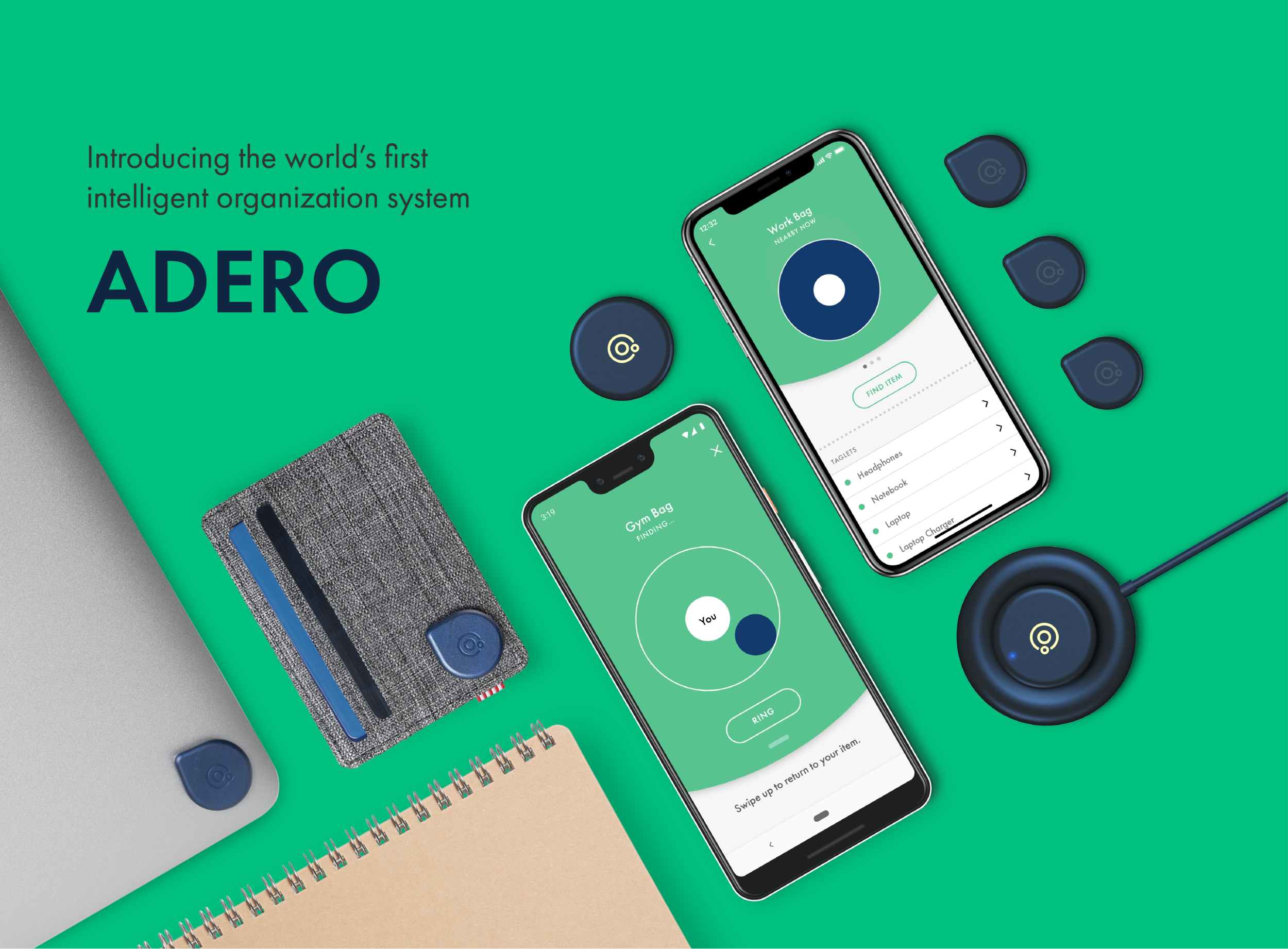
Adero
How might we prevent people from ever losing things.
Matter
Client: TrackR
Duration: 7 Months
Project Overview
Our Team
1 Creative Director
1 Project Manager
1 Lead Designer
1 Senior IxD
1 IxD Designer
2 Visual Designers
2 Industrial Designers
My Role
I focused on developing end to end wireframes and user flows from concept to detailed design. I owned the creation of three design tracks, working closely with PMs, Product Owners, Developers, etc.
Personal Accomplishments
Facilitated over 10+ co-creation workshops for product definition, collaborating closely with the CEO and other stakeholders
Worked closely with industrial designers to define a holistic product/service experience
Led the design of the OOTB setup experience, designing for both analog and
Carried over 20+ user testing sessions for concept/desirability and usability
End to end user wireframe flows detailing hero and edge cases for three design tracks
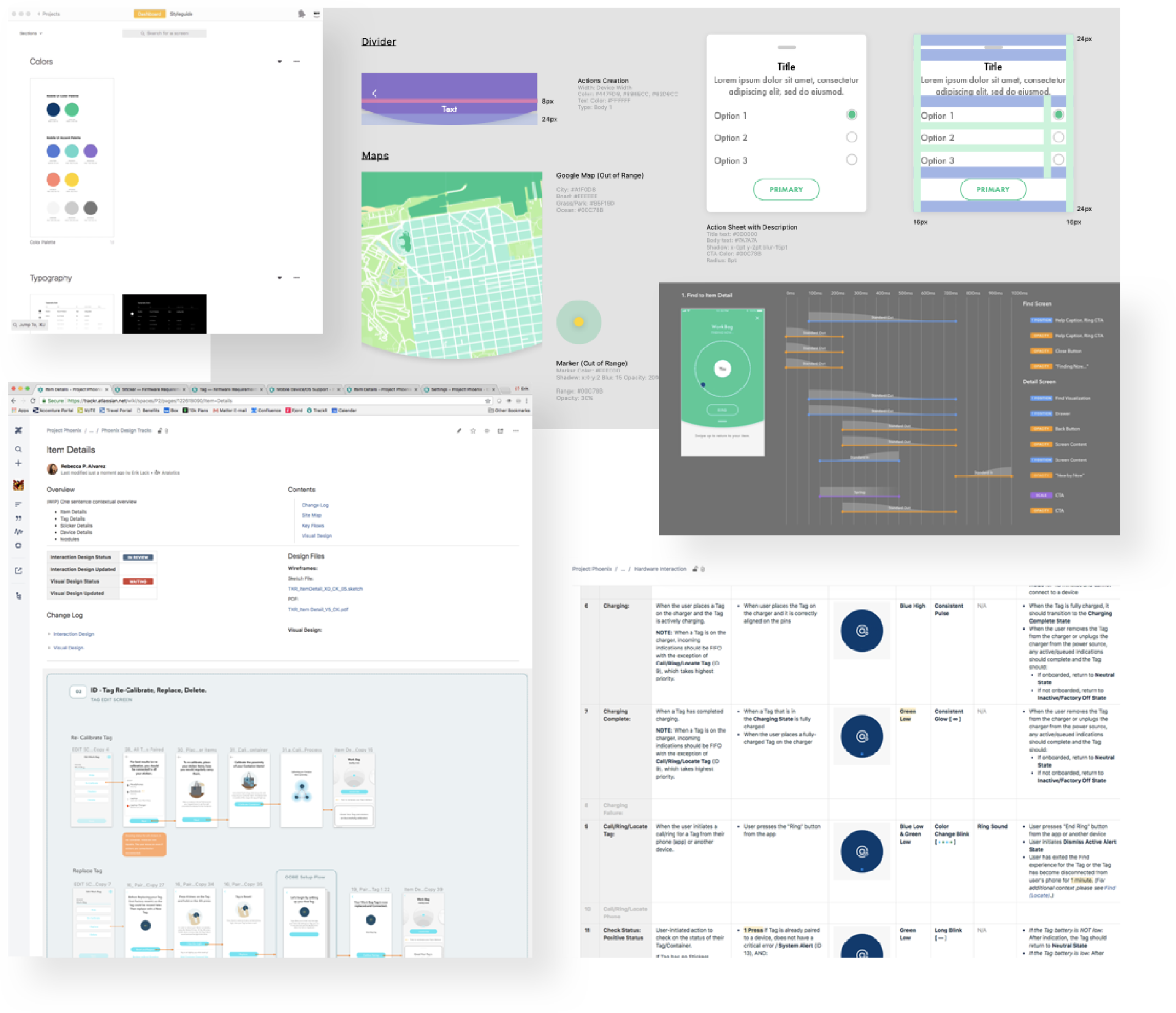
Created a design system for the team to wireframe and create documentation/annotations
Worked closely with product owners and developers
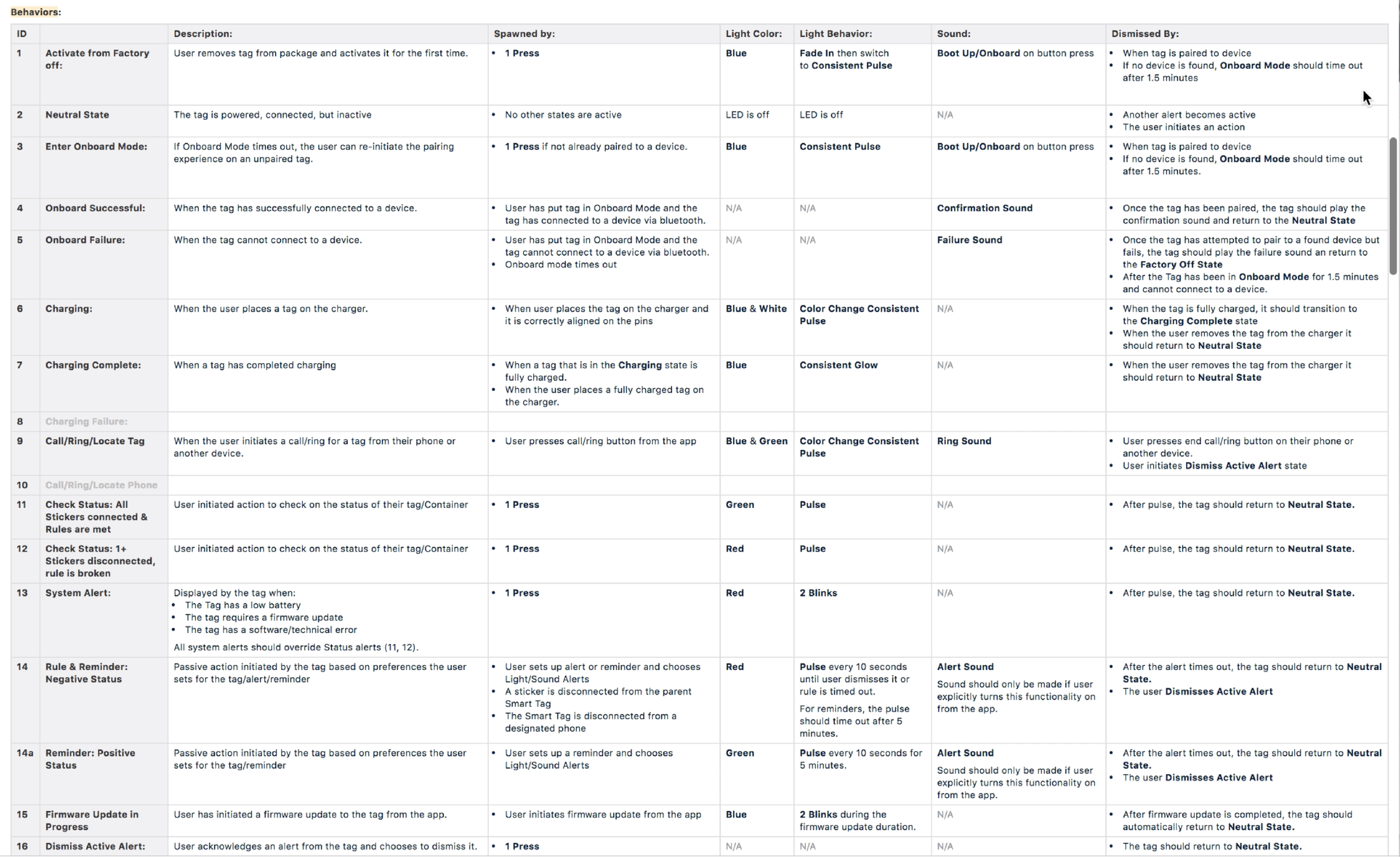
Designed different interaction modes (sound, visual, & touch) for the app and physical product and created detailed documentation of such to share with development and other stakeholders.
The Ask
Shift company strategy Redefine product offering
Rebuild more reliable hardware & software products
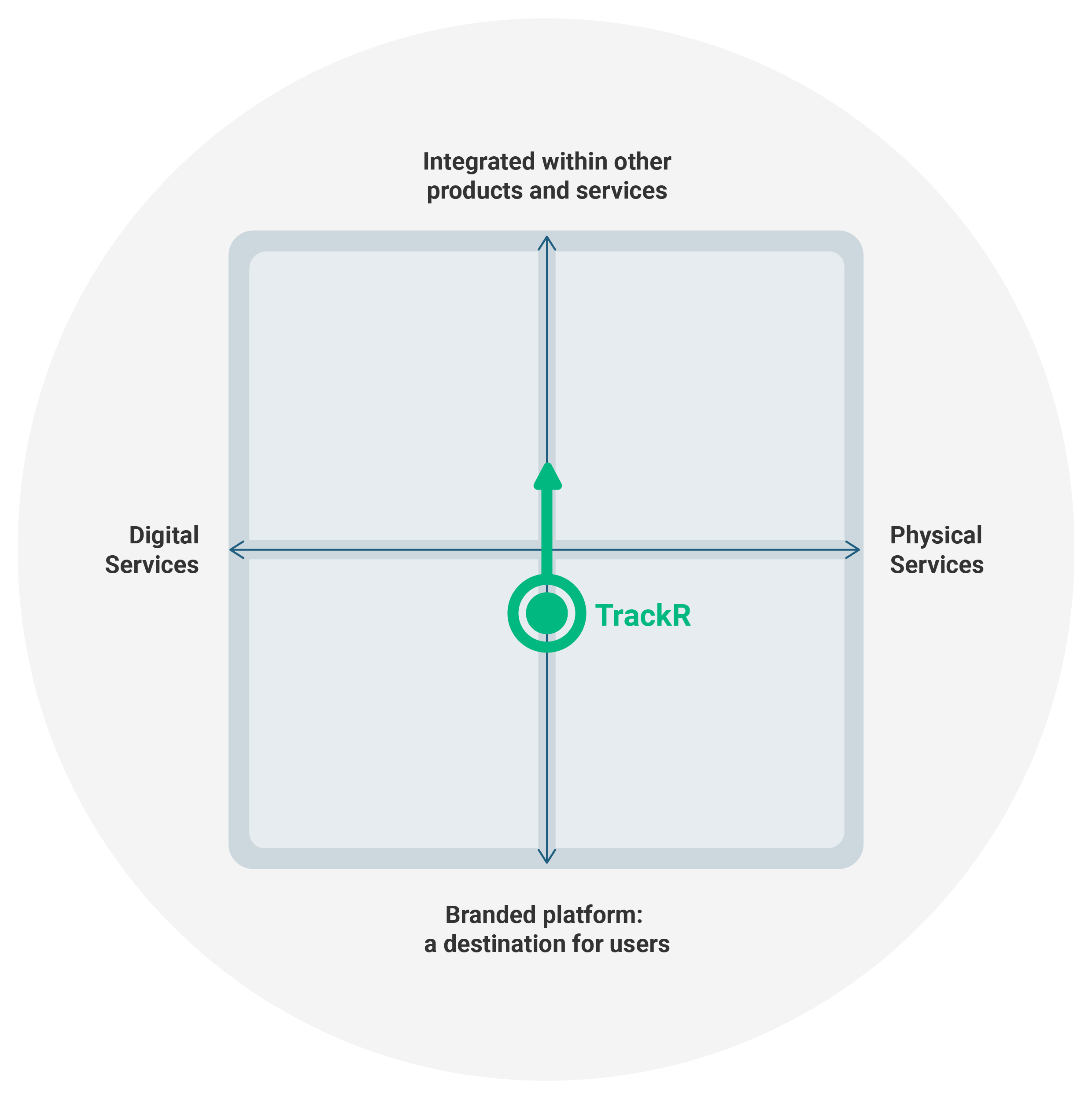
Understanding opportunities in space
As a whole, our perception of TrackR is that it sits somewhere on the middle horizontally between Digital & Physical. While the digital service provides the contextual ‘magic’ part of the experience, TrackR is ultimately there to help the user keep track of their items. We feel that an equally strong physical presence will really help draw the connection to the items in a user’s life. We wanted a way to evaluate the trade-offs that have to be made in any design process. We developed this 2x2 matrix to help us narrow down on some of the larger product questions our designs are hoping to solve.
On the vertical, we are looking to play with the idea of a solution that fully integrates into other product a user uses versus creating a product that becomes a single, branded destination for the user. This is a topic we’ve discussed as a team before.
On the horizontal, we placed digital services versus physical services. While we know TrackR will always offer both, it is important to think about the relationship between hardware versus the software. Does one support the other? Does one take priority?
Starting from the ground-up
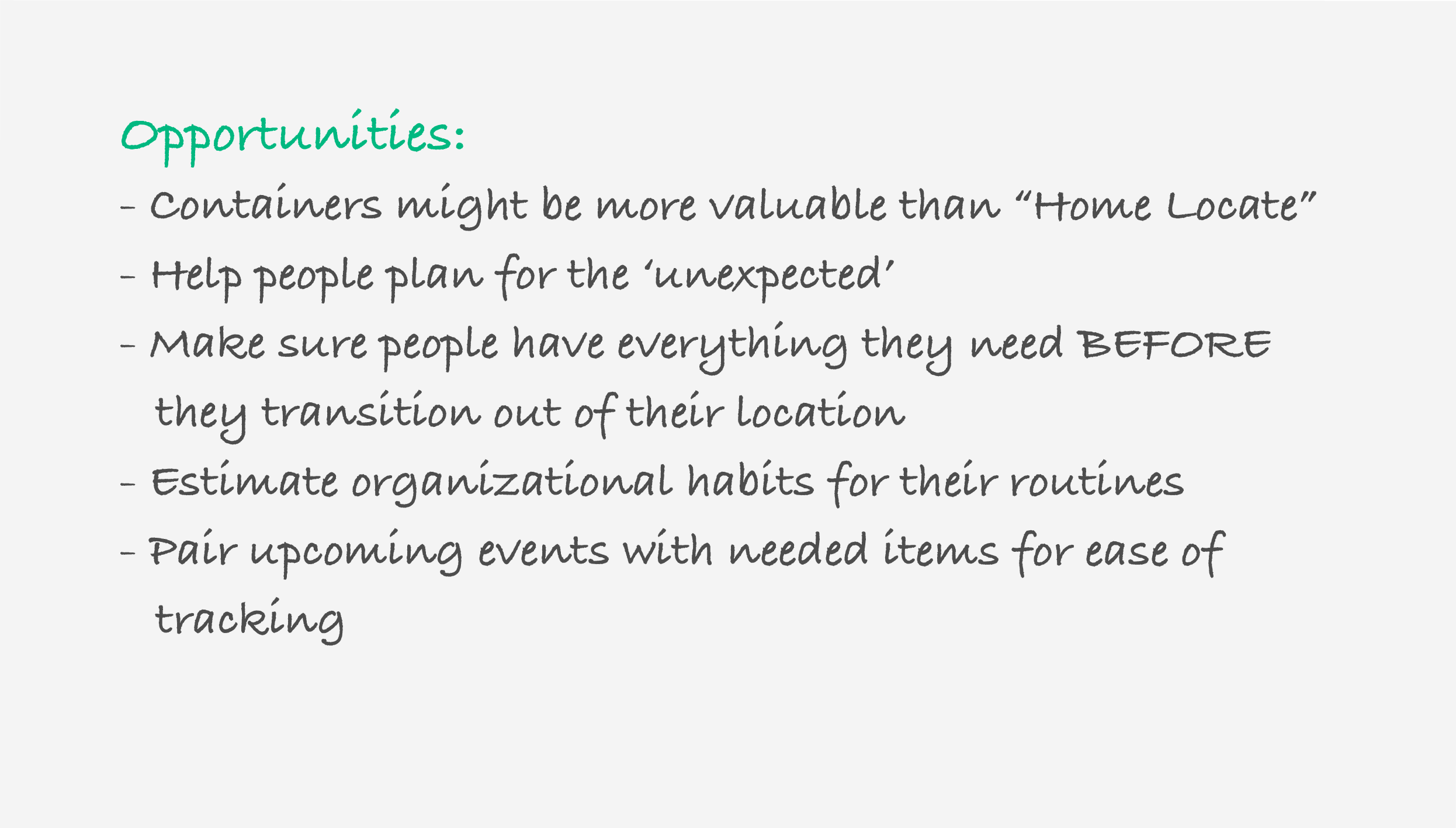
Alongside the client, we conducted several workshops to re-evaluate the TrackR product as it stood then, to uncover opportunities for the new product experience. We broke down findings gathered thus far to inform some new assumptions and opportunities that could lead our thinking as we moved further in exploring design directions
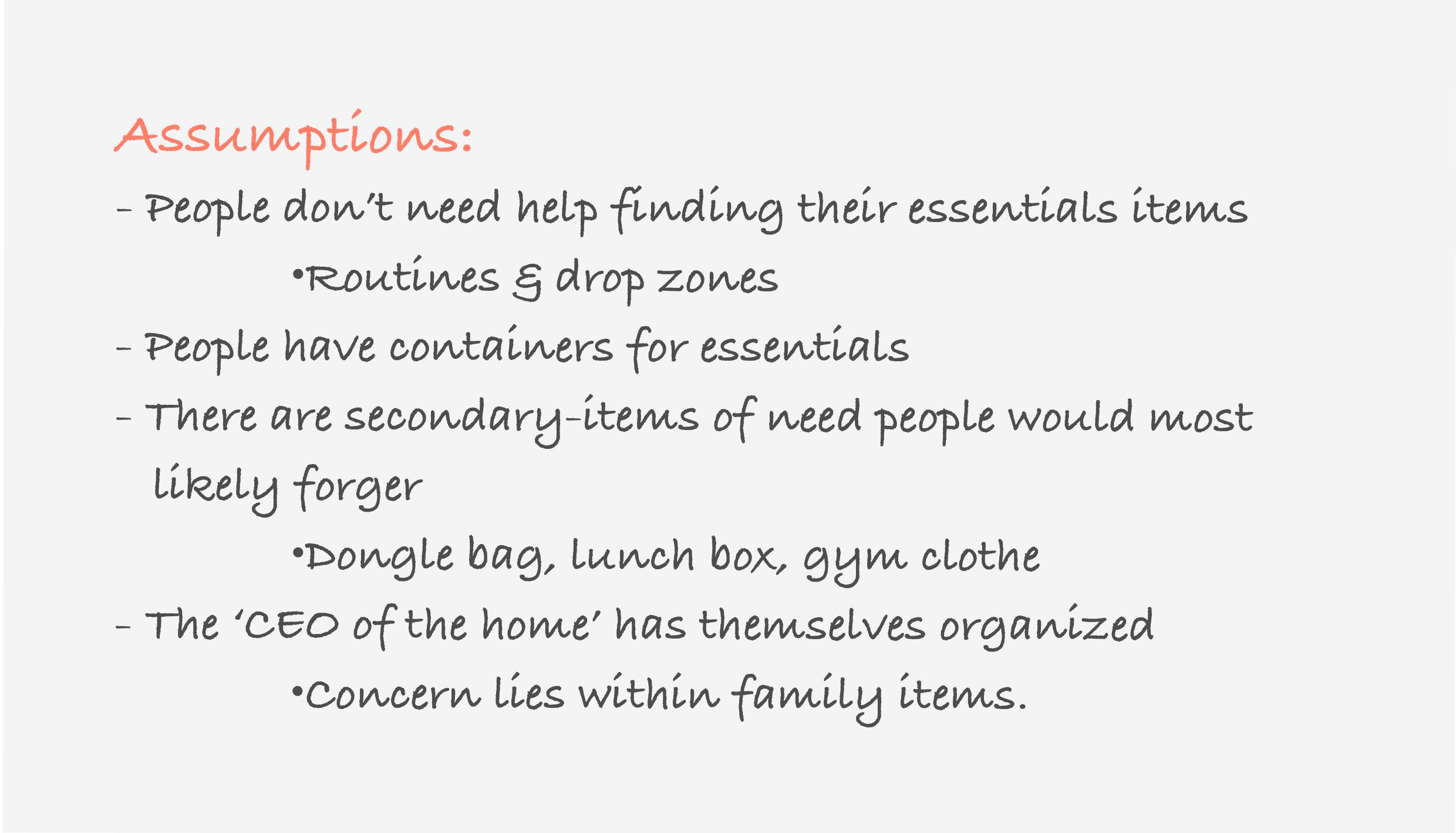
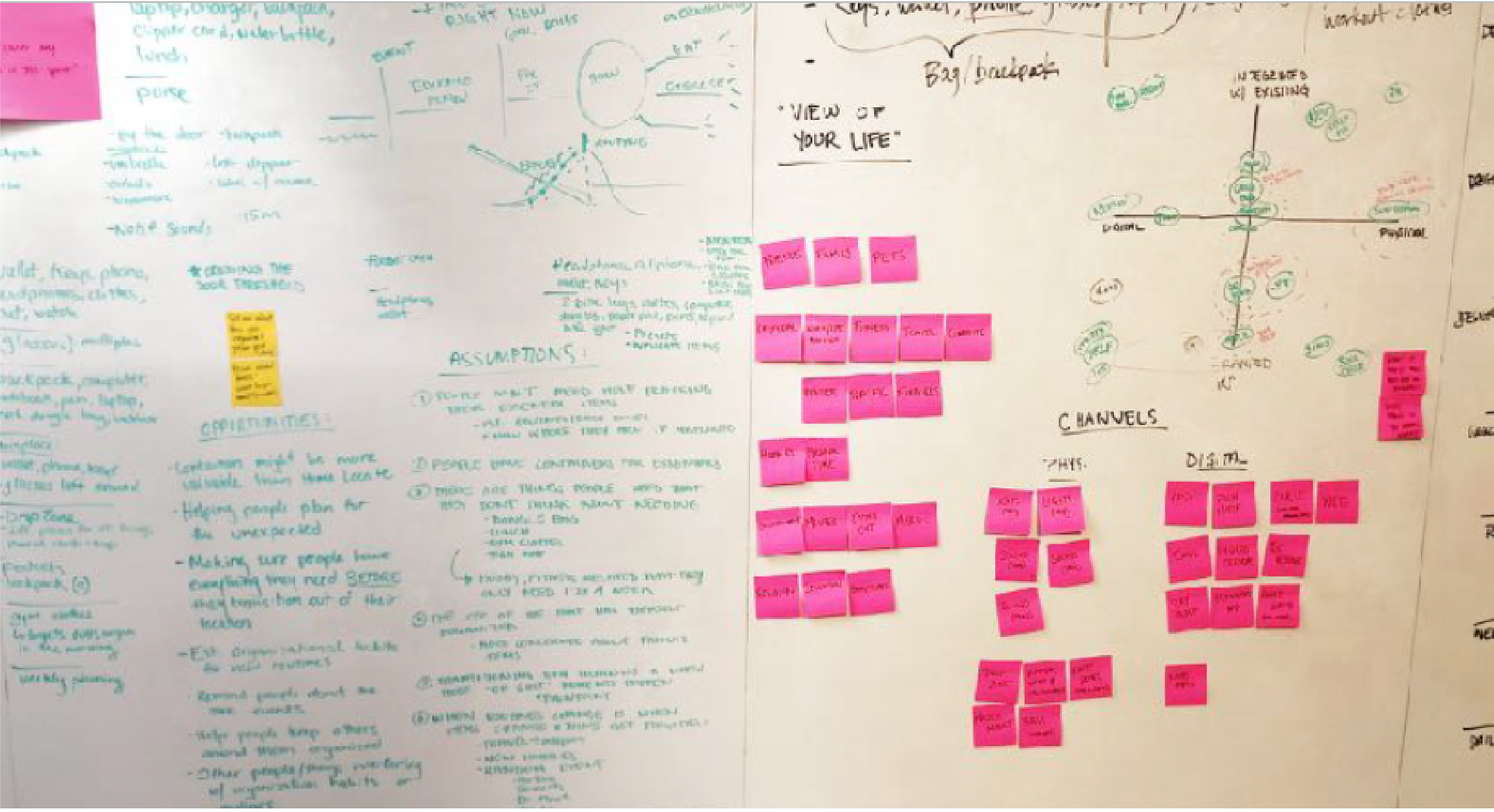
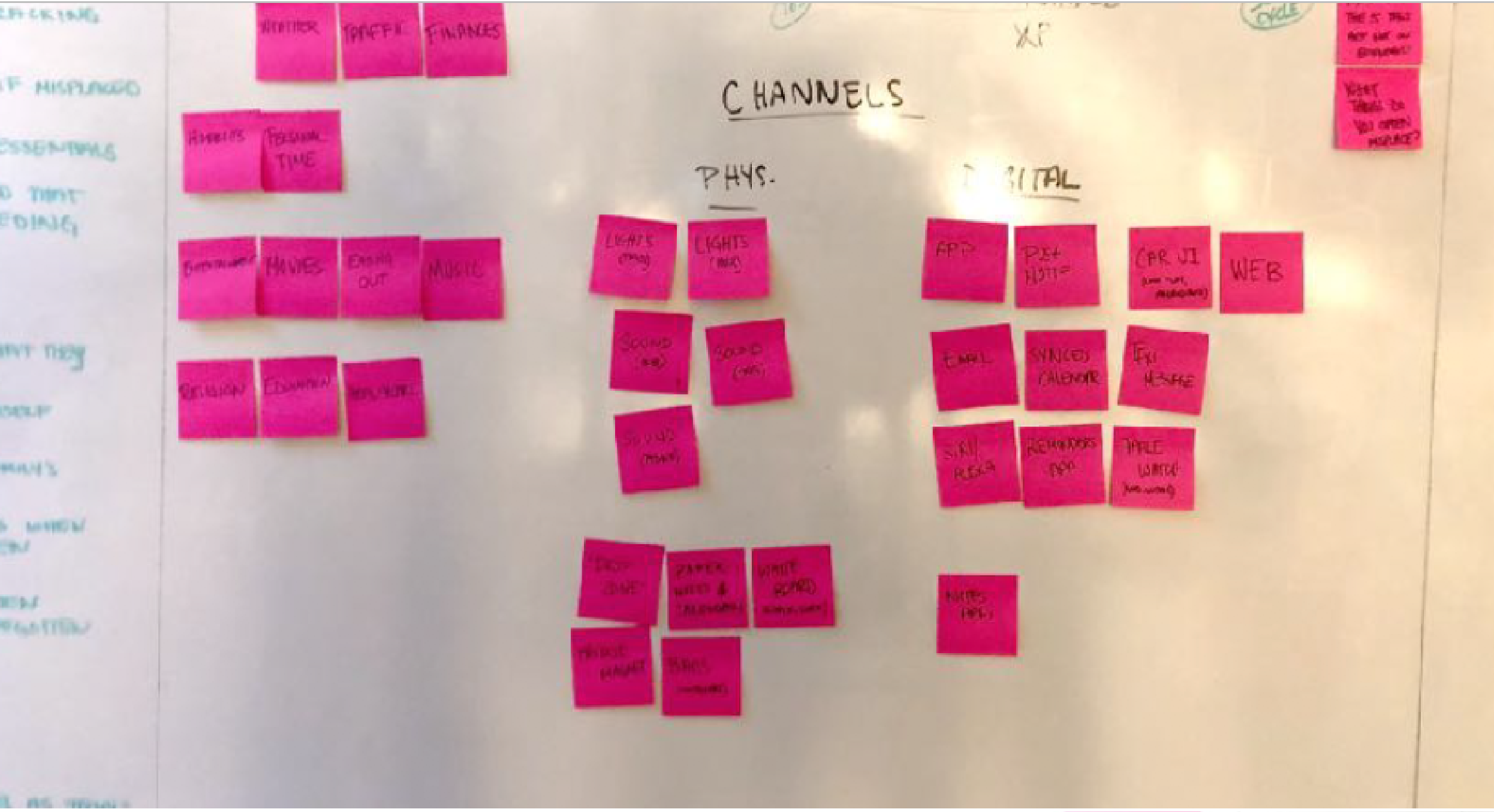
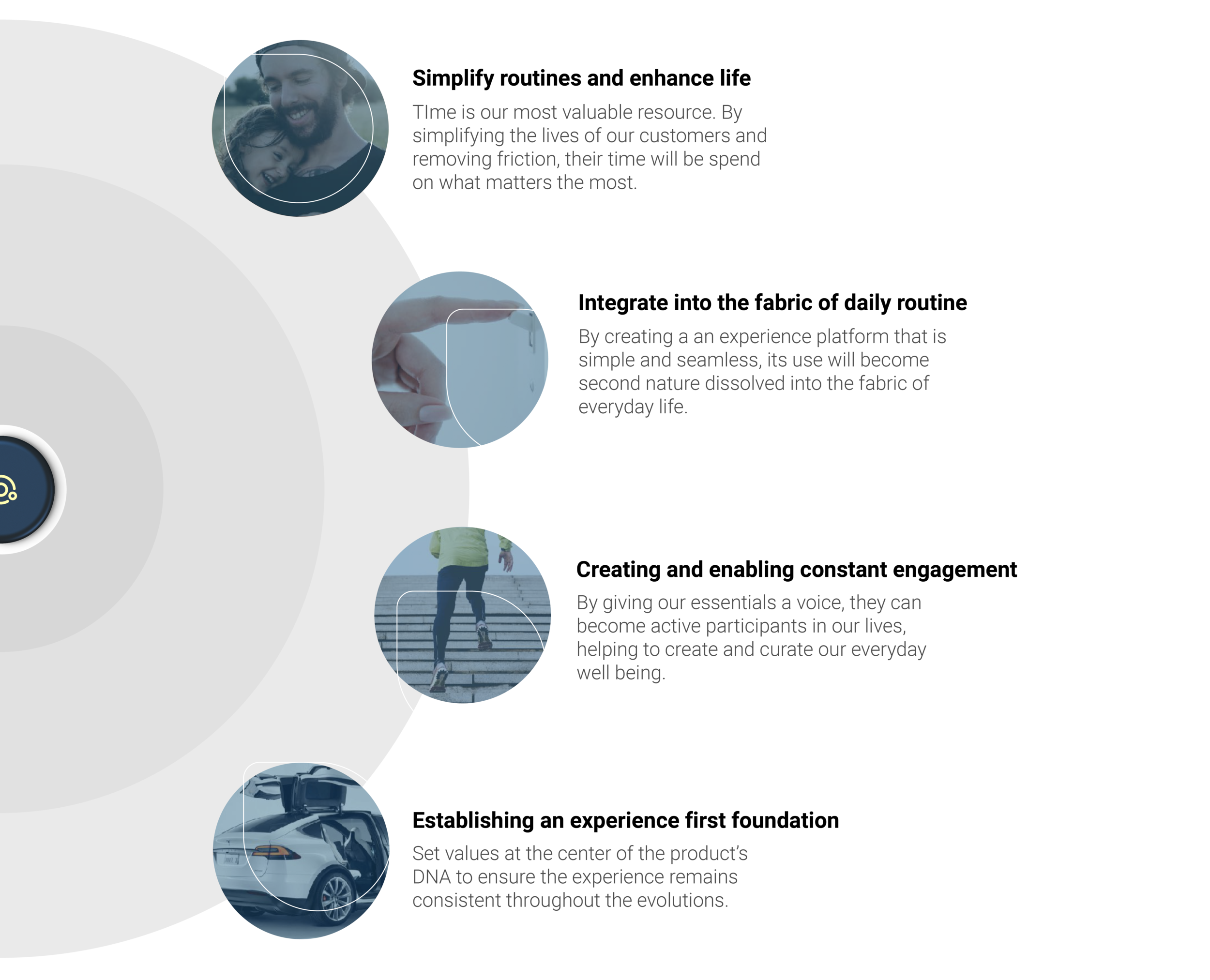
Setting the experience principles
Hearing from the user
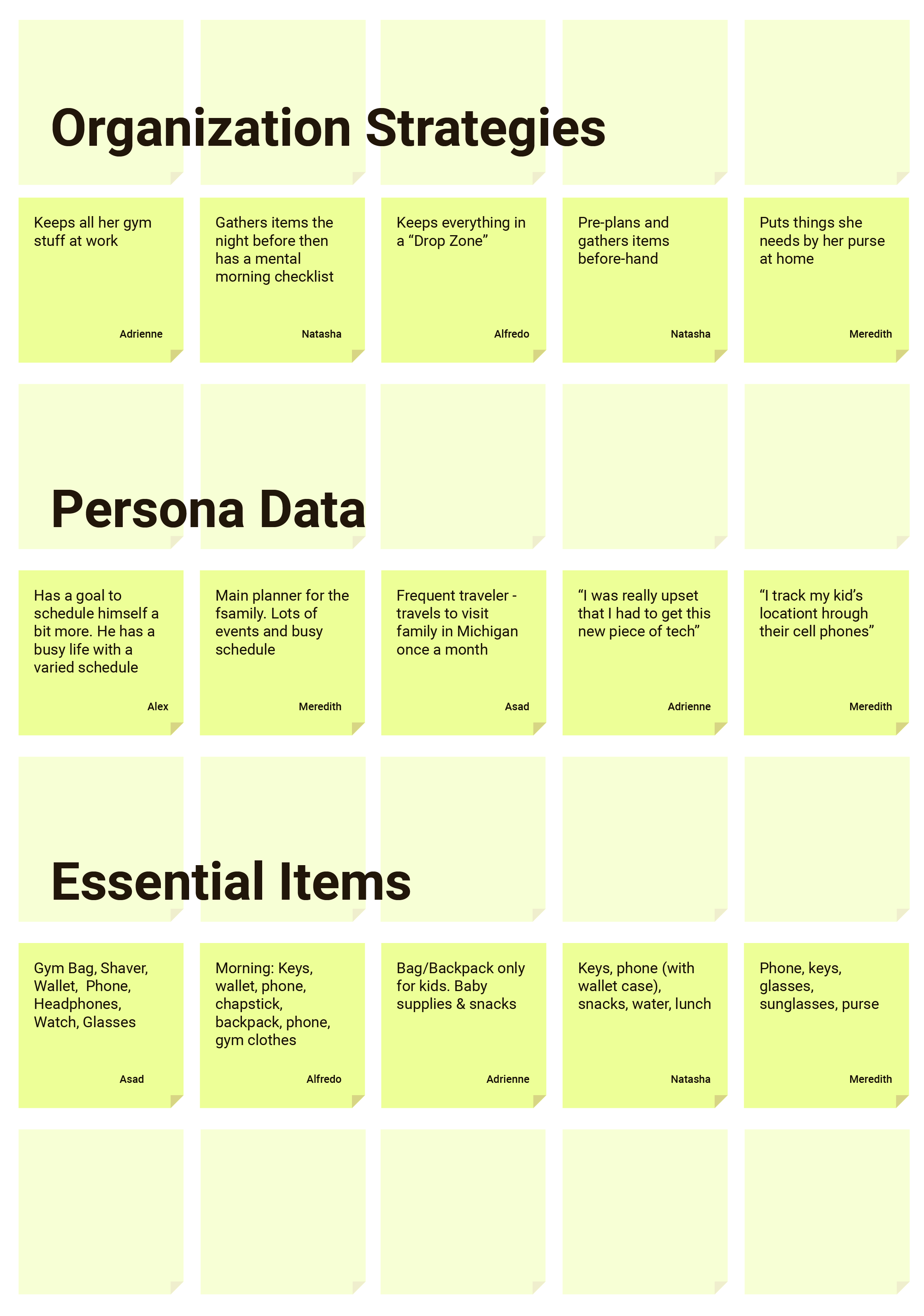
We conducted guerilla interviews with around 40 users to understand behaviors and routines when it came down to the day to day planning and organizing. We also identified how prioritized the items they needed and how they handled it with the means of understanding new opportunity space while we designed the new hardware and software
We ran quick ideation sessions with the client in order to get initial thinking out, which then through a process of synthesis were able to uncover themes.
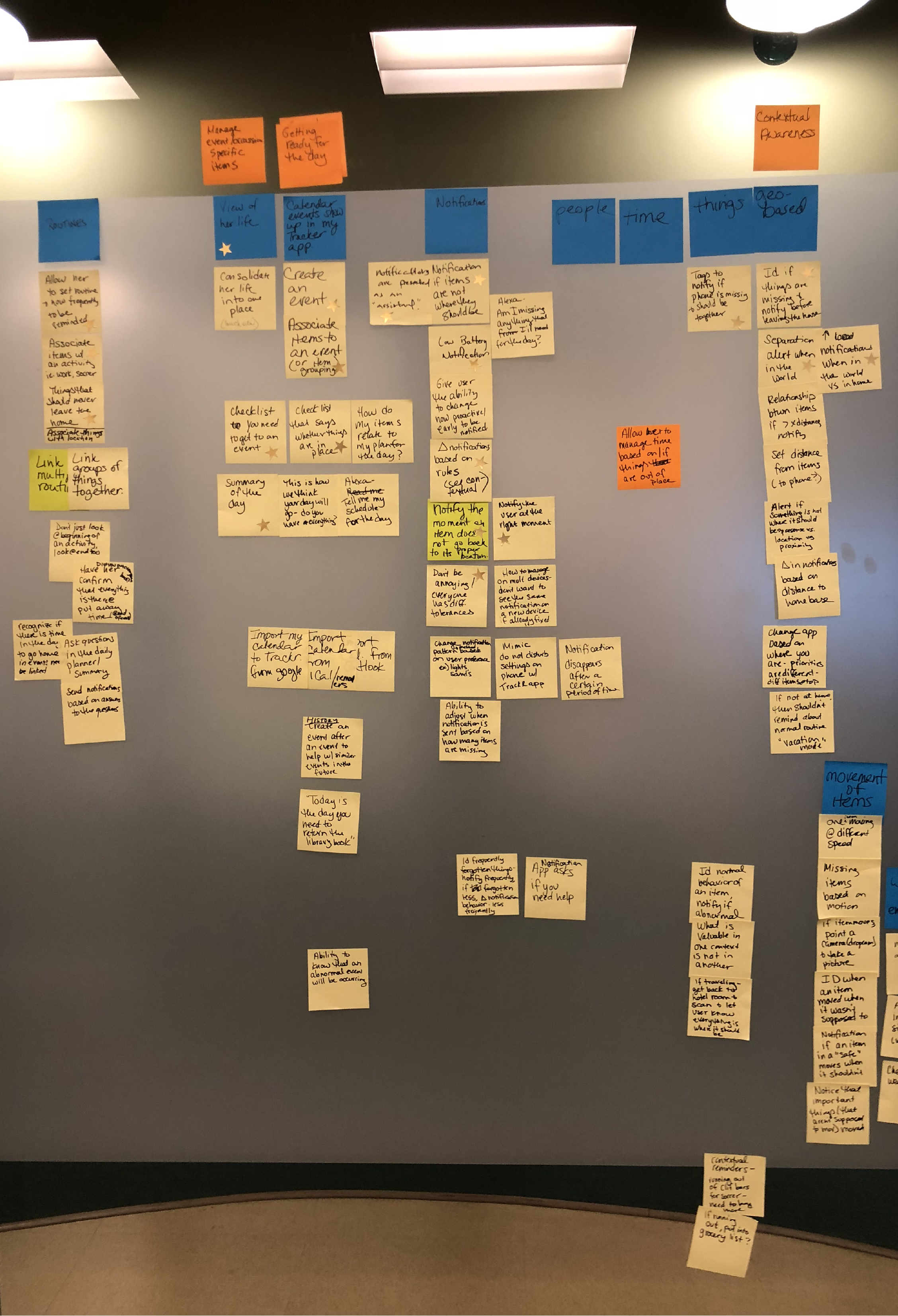
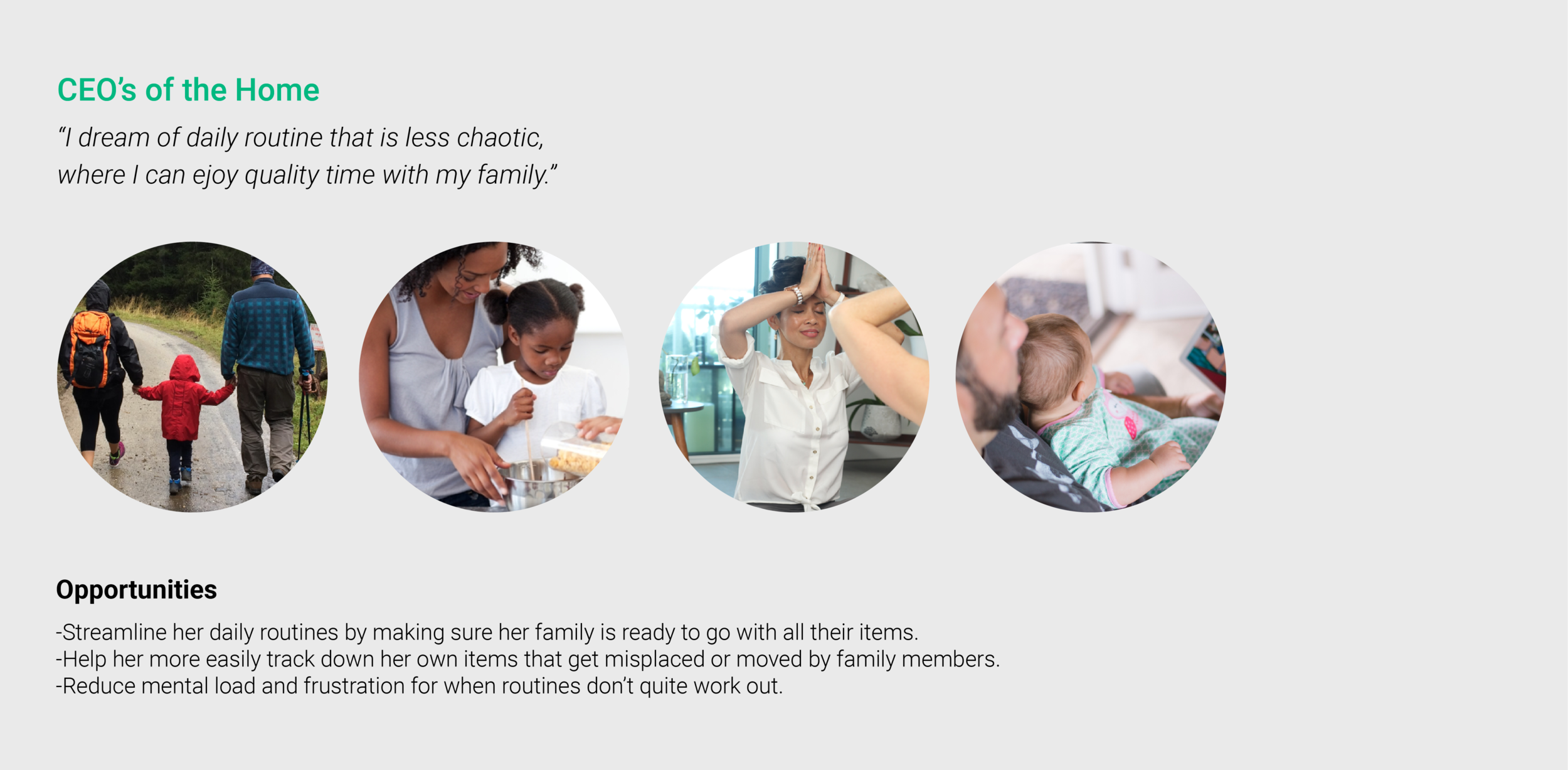
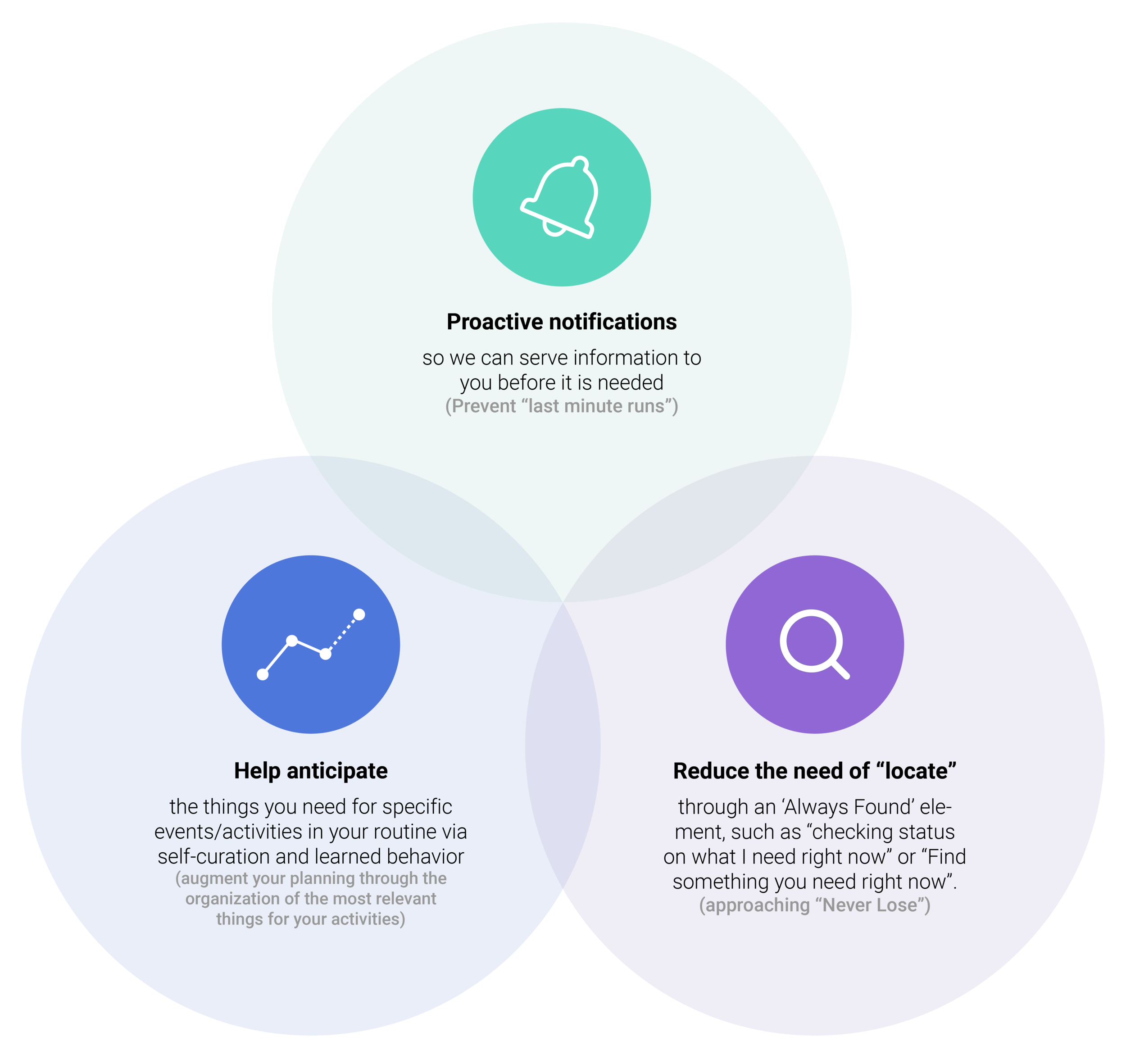
Uncovering product needs
We discovered three potential areas that could inform key features. These helped inform us on an initial direction for the product to explore furthermore.
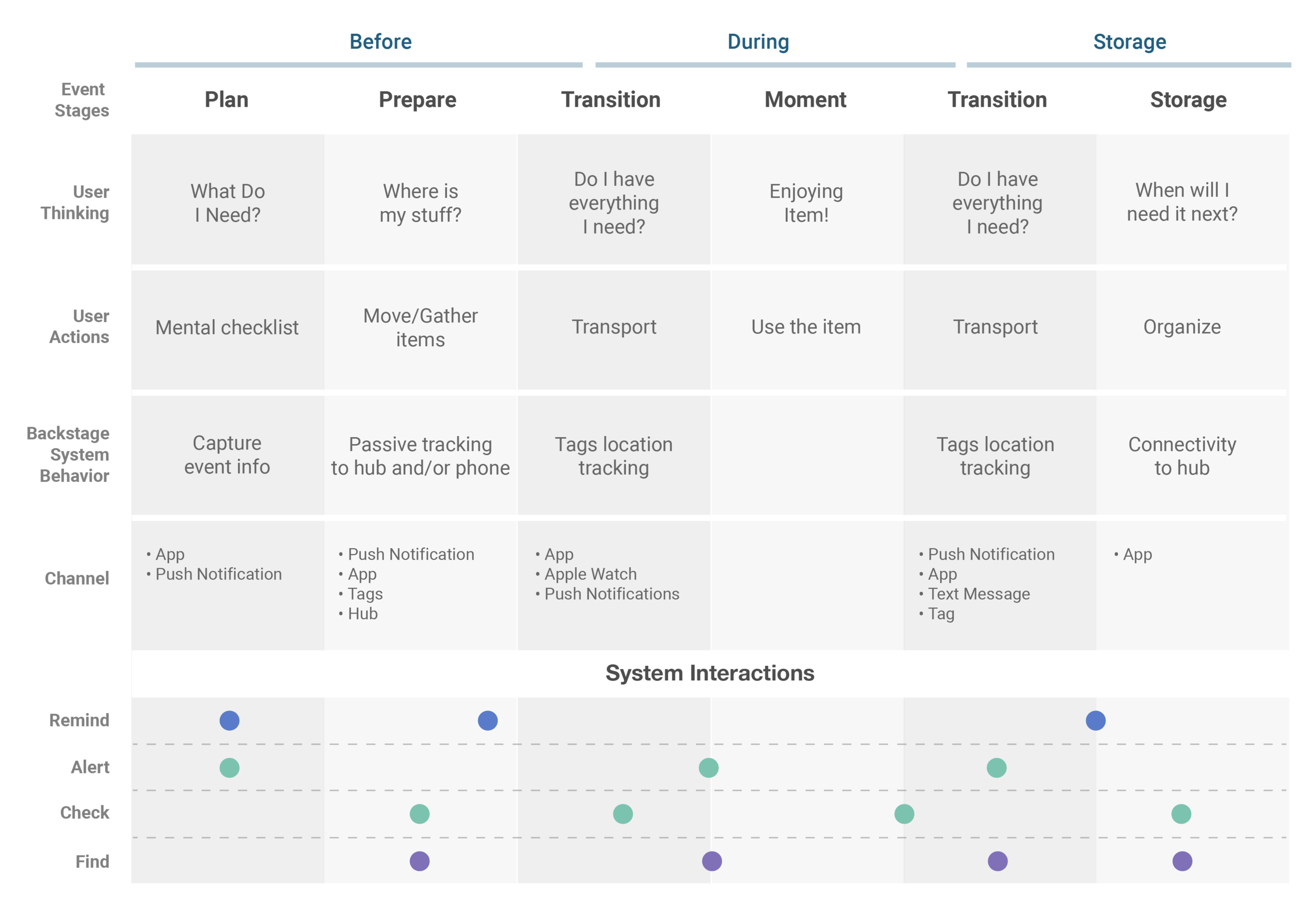
Journey
This initial journey highlights in the Y-Axis the different stages of preparing for a moment, living a moment, after the moment happens. The X-Axis maps out the user actions, user thoughts, system support and potential channels. At the bottom, we took an initial stab at times when the system interacts with the user in response to the stages
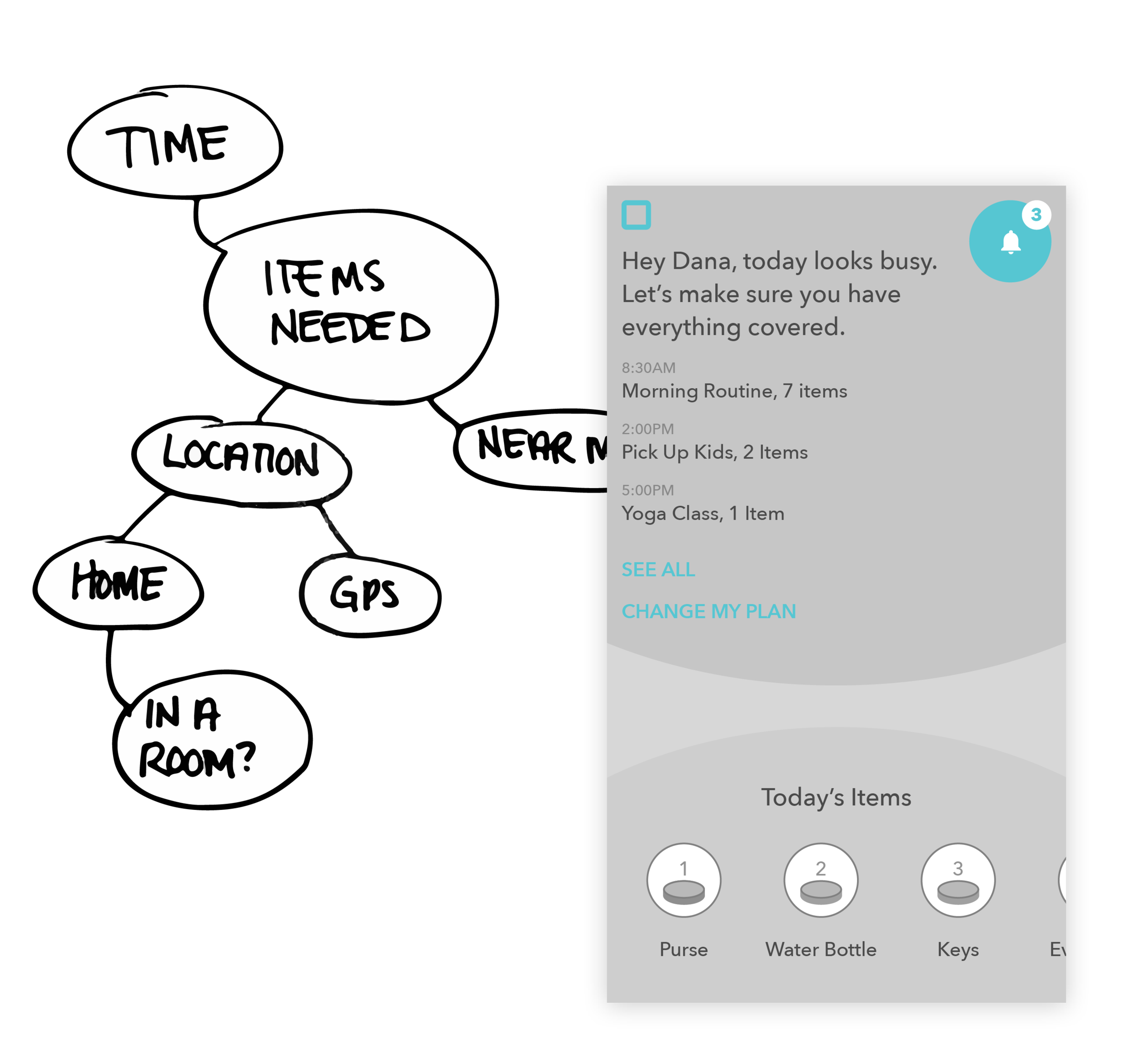
Initial Assumption
As we started to design the features of the system we took a time-based mental modal approach. Our initial assumption was that people plan their day around events and times of days, which then dictates the kinds of items they need for such. However, after testing the concepts we realized we were creating another scheduling tool that users didn’t want or need. Additionally, it didn’t solve for the problem of organization and forgotten items.
Pivoting the mental model
Moving from visualizing a user’s day to helping them actively plan for it. What if instead you could make “rules” that defined where an item should be in specific times. For example, in your day-to-day routine when leaving for work, your backpack needs to have your computer, your charger, and the dongle. Likewise, one could say that the bike and helmet should never be apart when in the house.
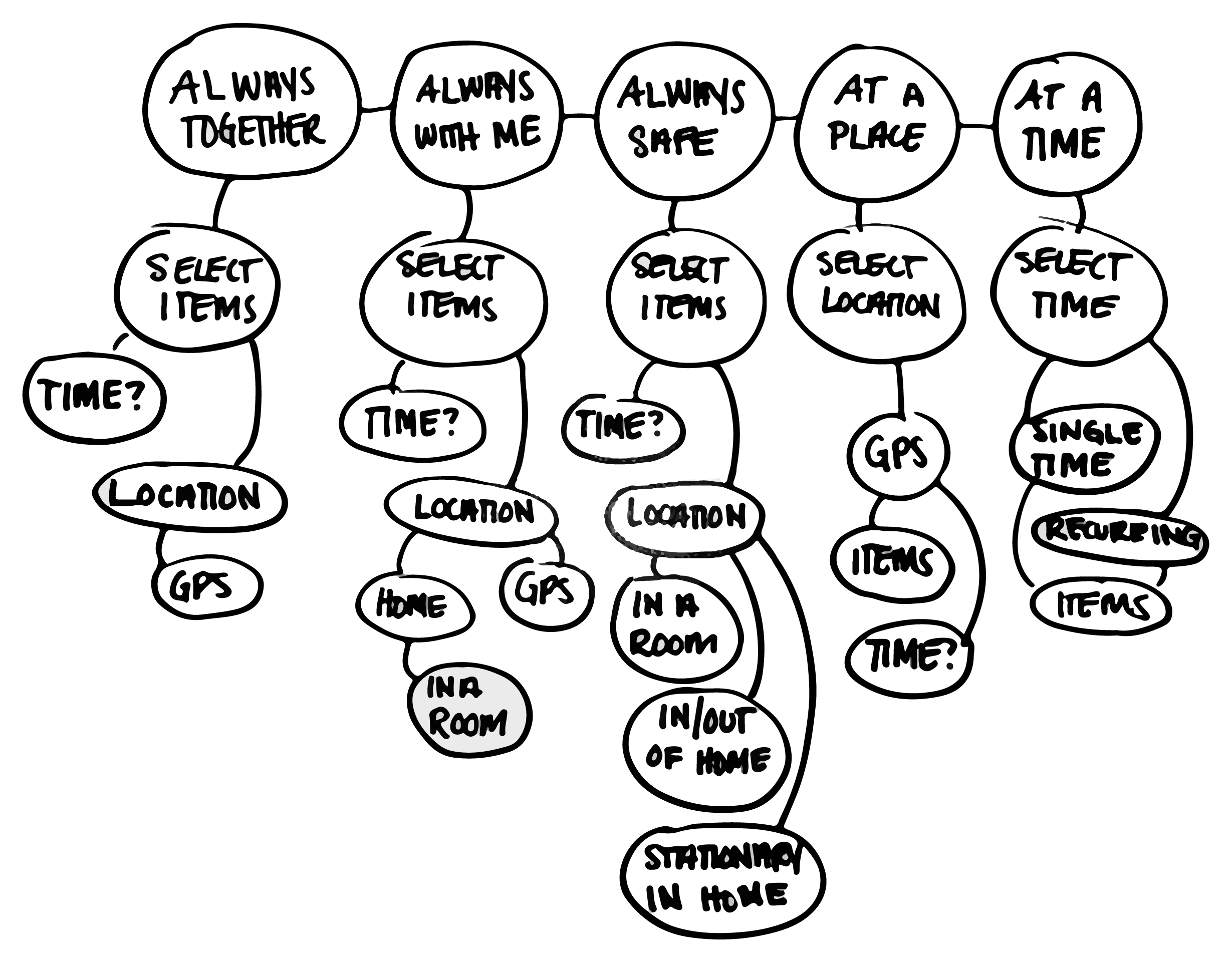
Can we designate “zafe zones” which items can be categorized by,
and if they fall out of the safe zone then spam an alert ?
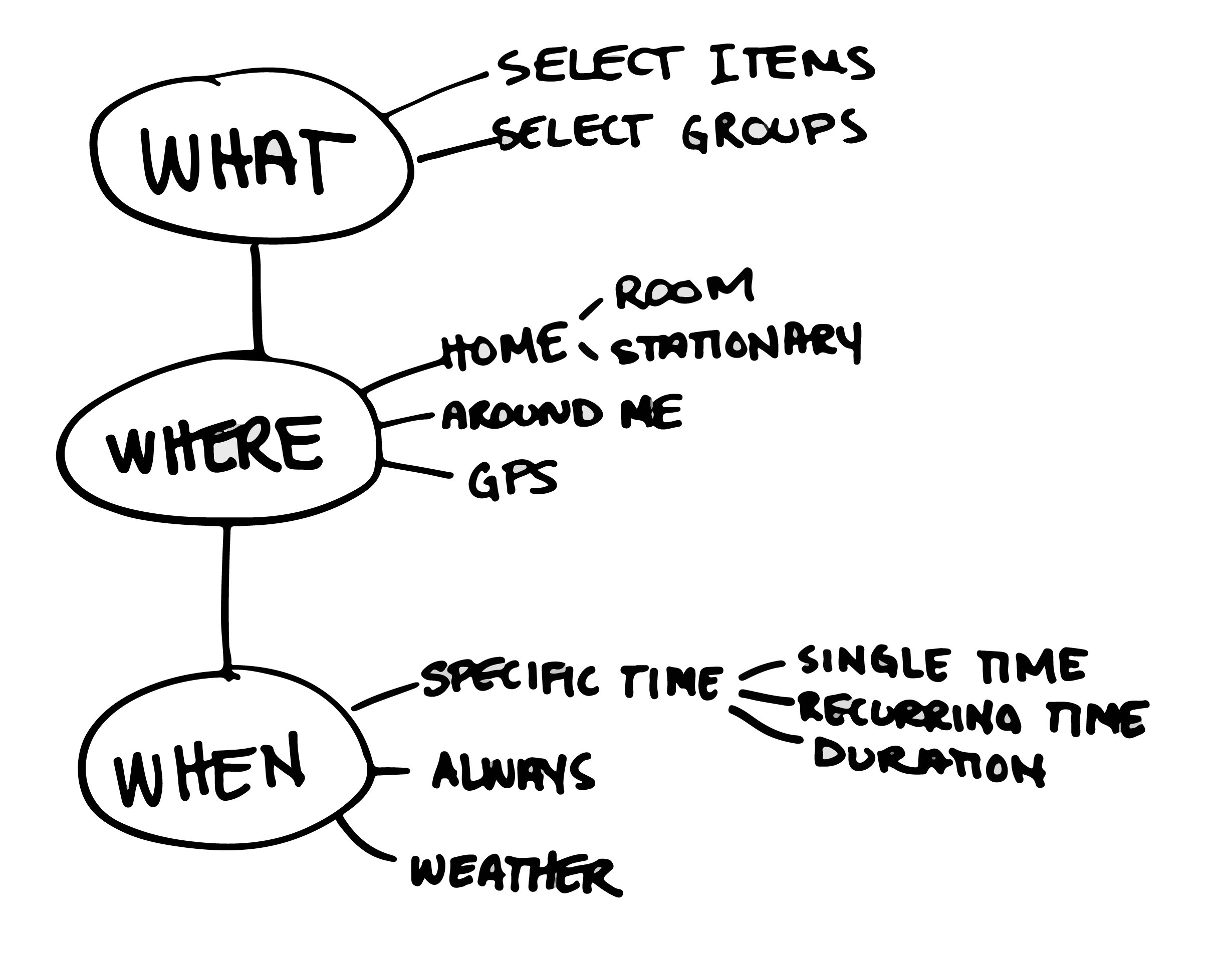
Can we designate “zafe zones” which items can be categorized by,
and if they fall out of the safe zone then spam an alert ?
Container model
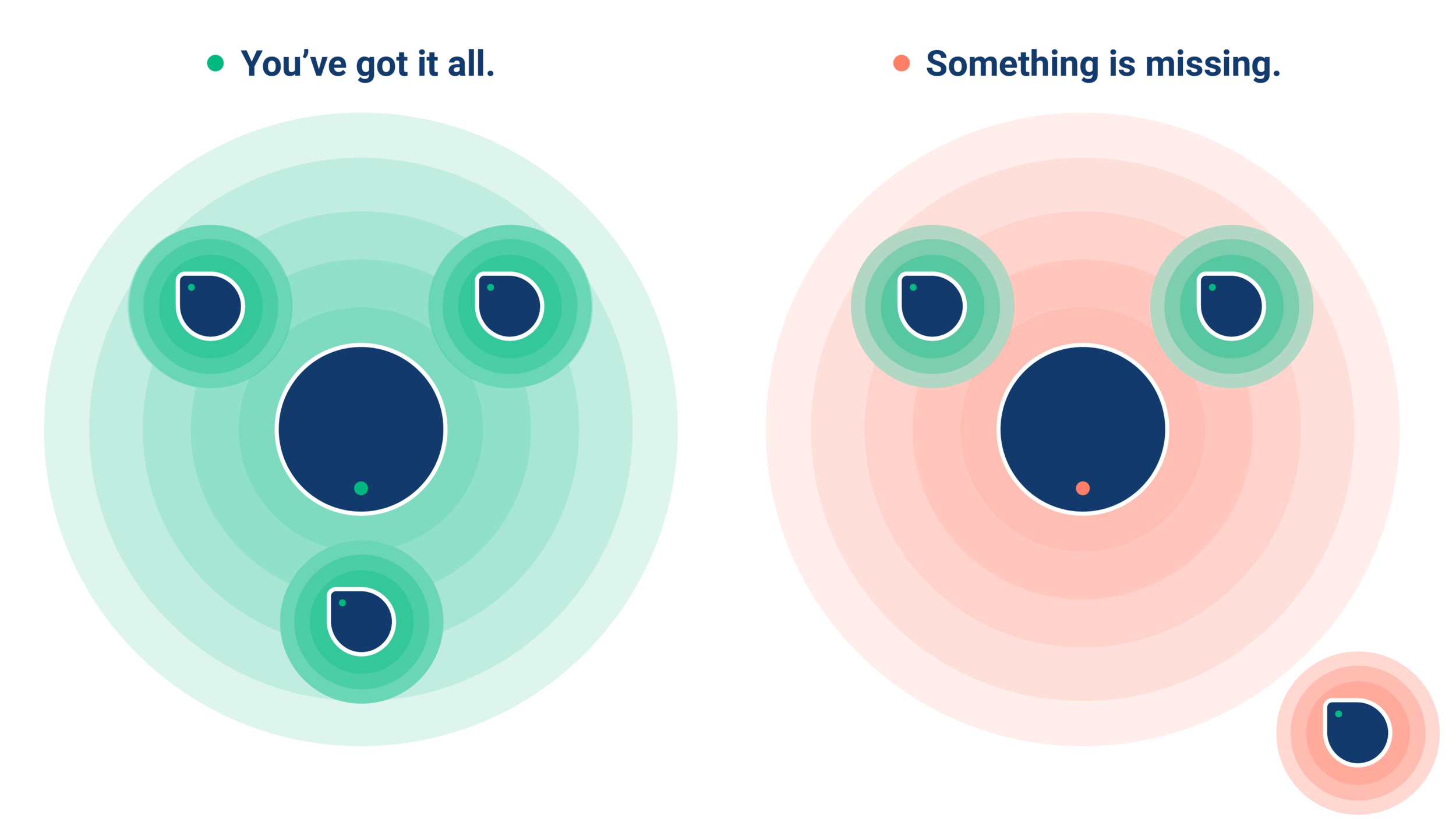
From loosing/finding to organizing. Containers works as a set of items that are held within proximity of one another. Such as a laptop, charger, and dongle. If we know that those three items are close to one another, then they are in the right place. If you leave one behind, then most likely it’s been forgotten and/or misplaced. Can the user then get notified?
How it works: The physical products work as beacons by which, if connected to one another, spam the user with feedback whether all items are in the right place if spawned by the physical “tag” or phone.
Creating a platform
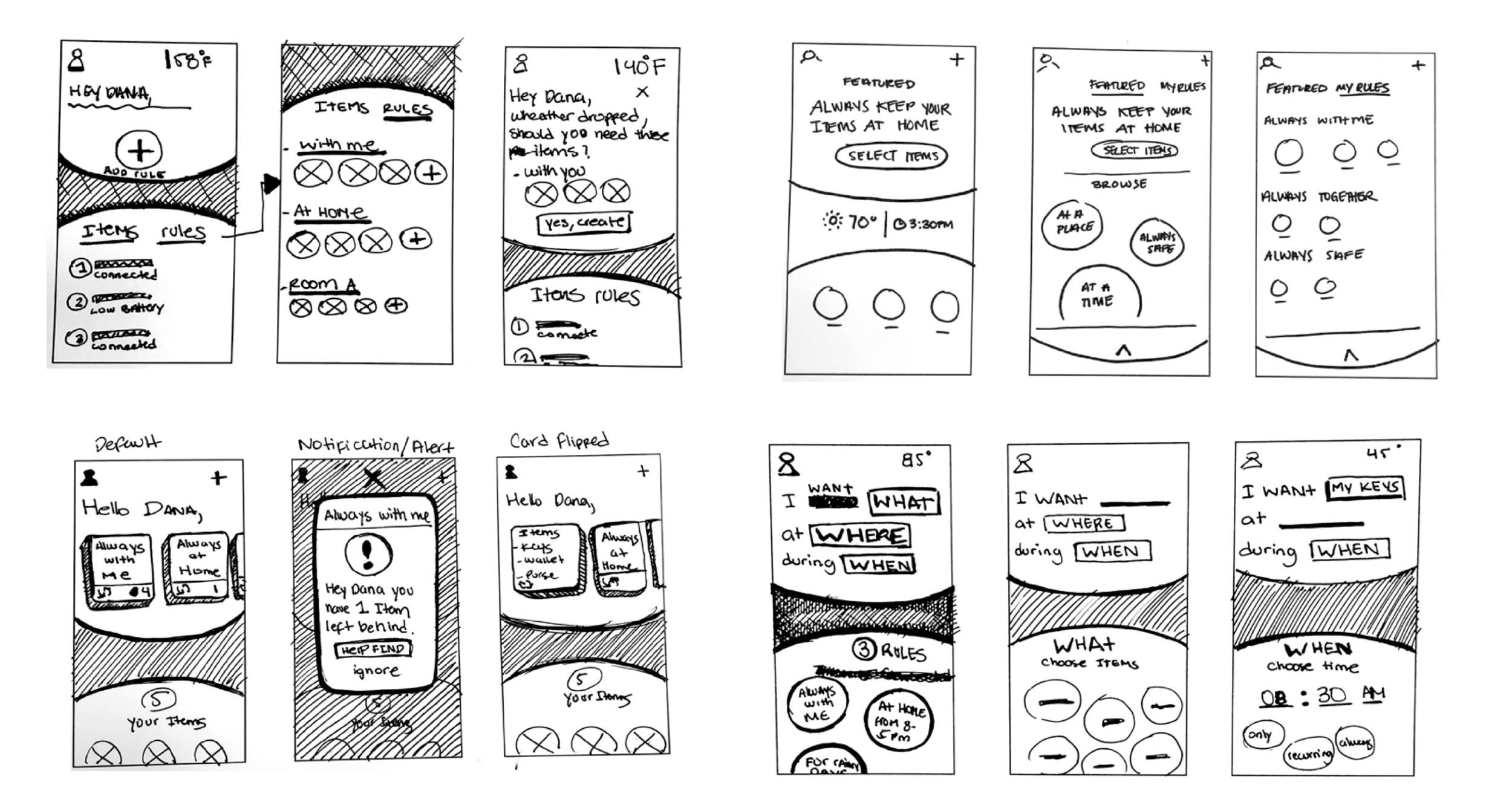
Once we defined a core new feaute of the system we started thinking on how it connects with software, essentially from a setup perspective to mangement. Where is the alert triggered if something is missing? At a device (hardware) level or an app (software) level? or both?
How might we allow users to customize “containers”and “set rules” only when applicable.
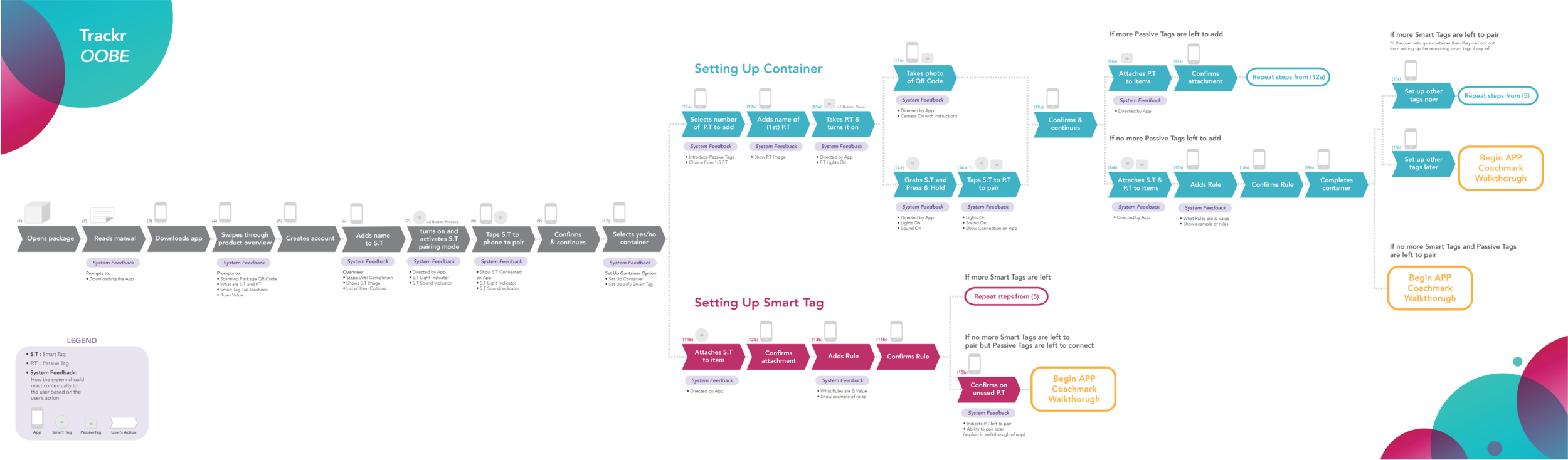
Defining a convergent setup experience
As we moved forward with defining features and fleshing them out, we needed to thinking of the proper onboarding experience. One that is seamless, frictionless, and intuitive enough to educate the user how the product works.
User test | 20 participants | One week
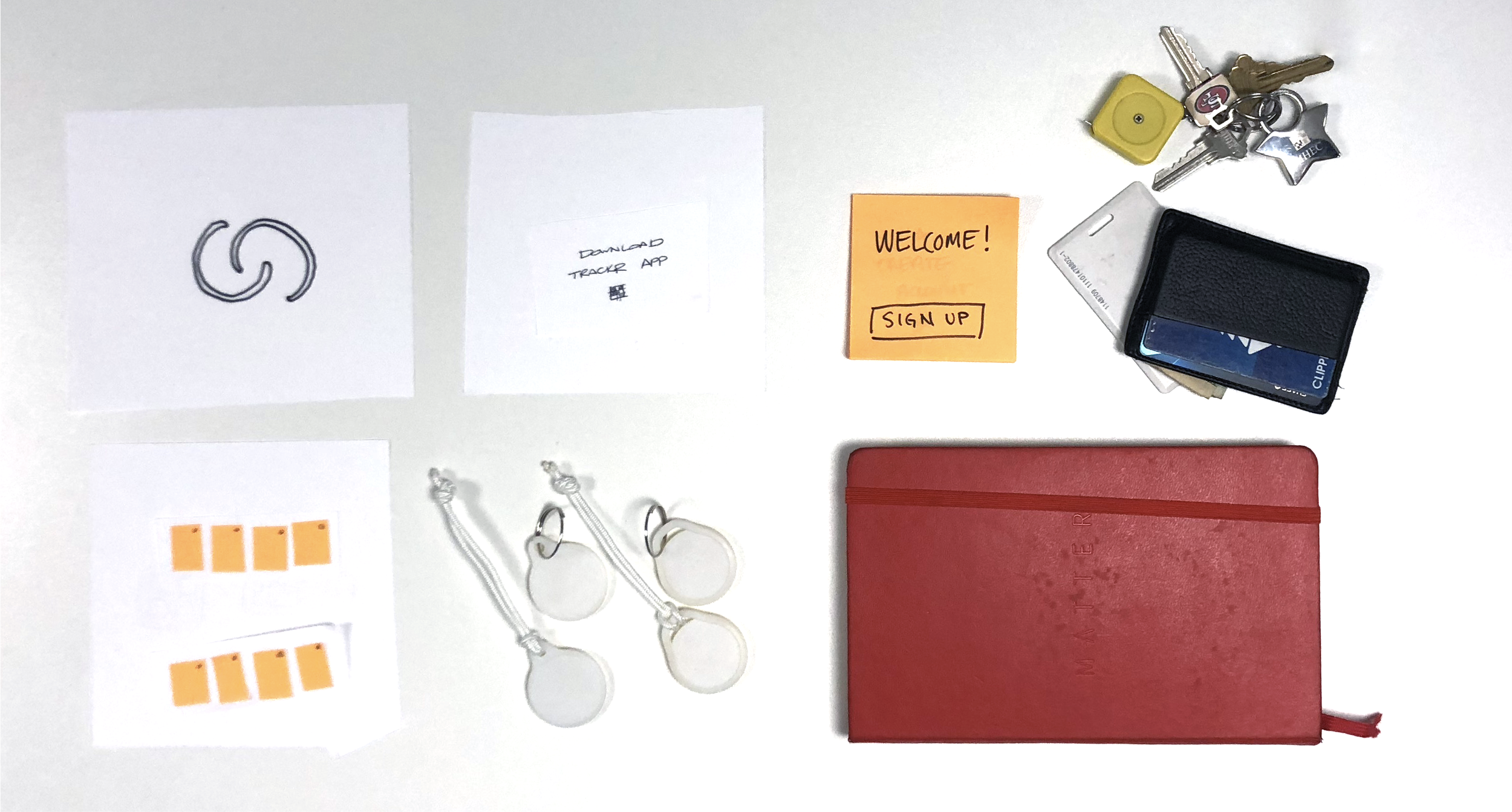
Ran 3 separate low fidelity user test sessions with 20 participants.
We iterated on different flows the setup experience could happen. The challenge was down streaming the level of effort needed on using both digital and physical touchpoints and the friction that resulted from it. Our focus was to test the best flow that this could happen where it felt natural and effortless.
We tested assumptions and discovered pain points as well as opportunities to improve the overall setup experience.
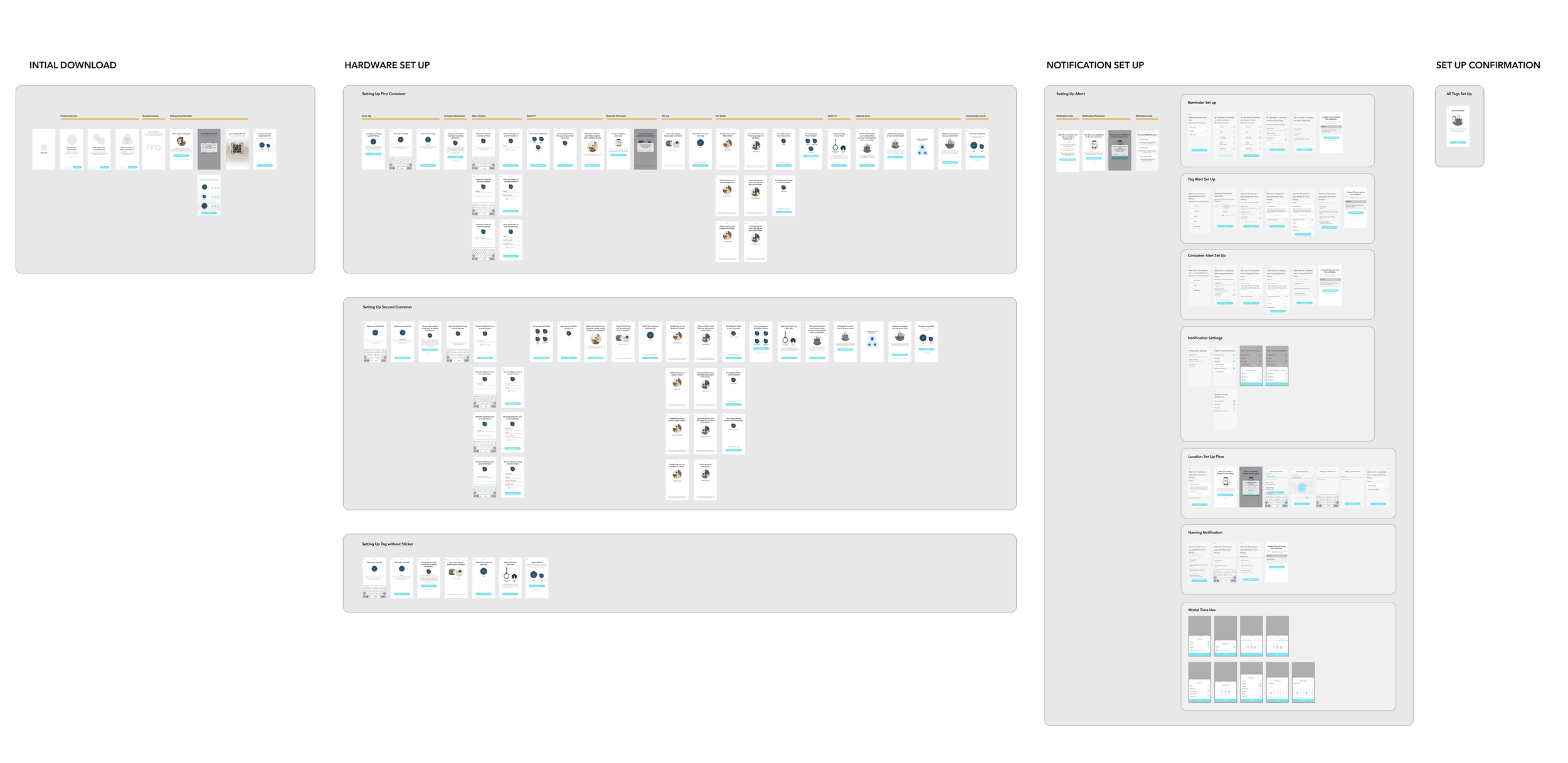
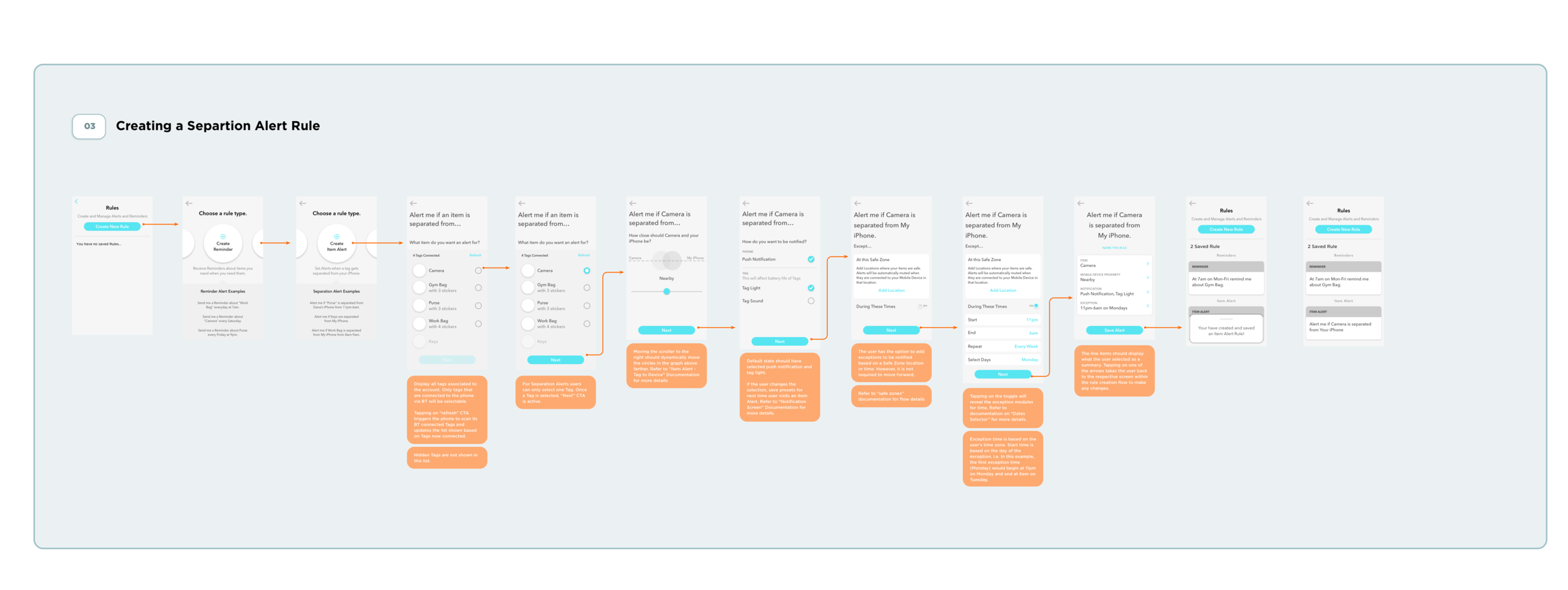
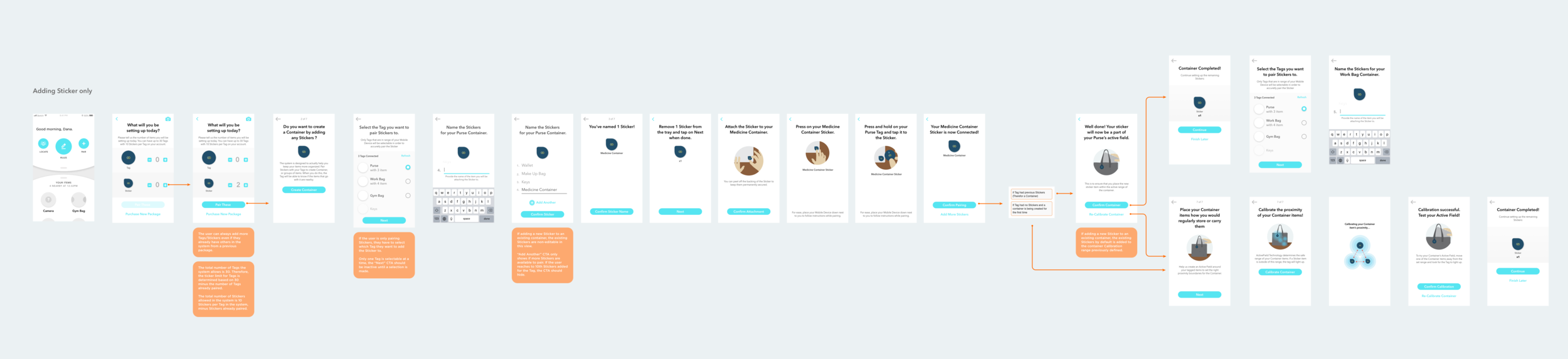
As we tested the setup flow, we…
As we tested the setup flow, we also tested hardware interactions such as: turning on the tag to activating bluetooth. We created a matrix for all related use cases required in the physical product: Press states, light patterns, sound states.
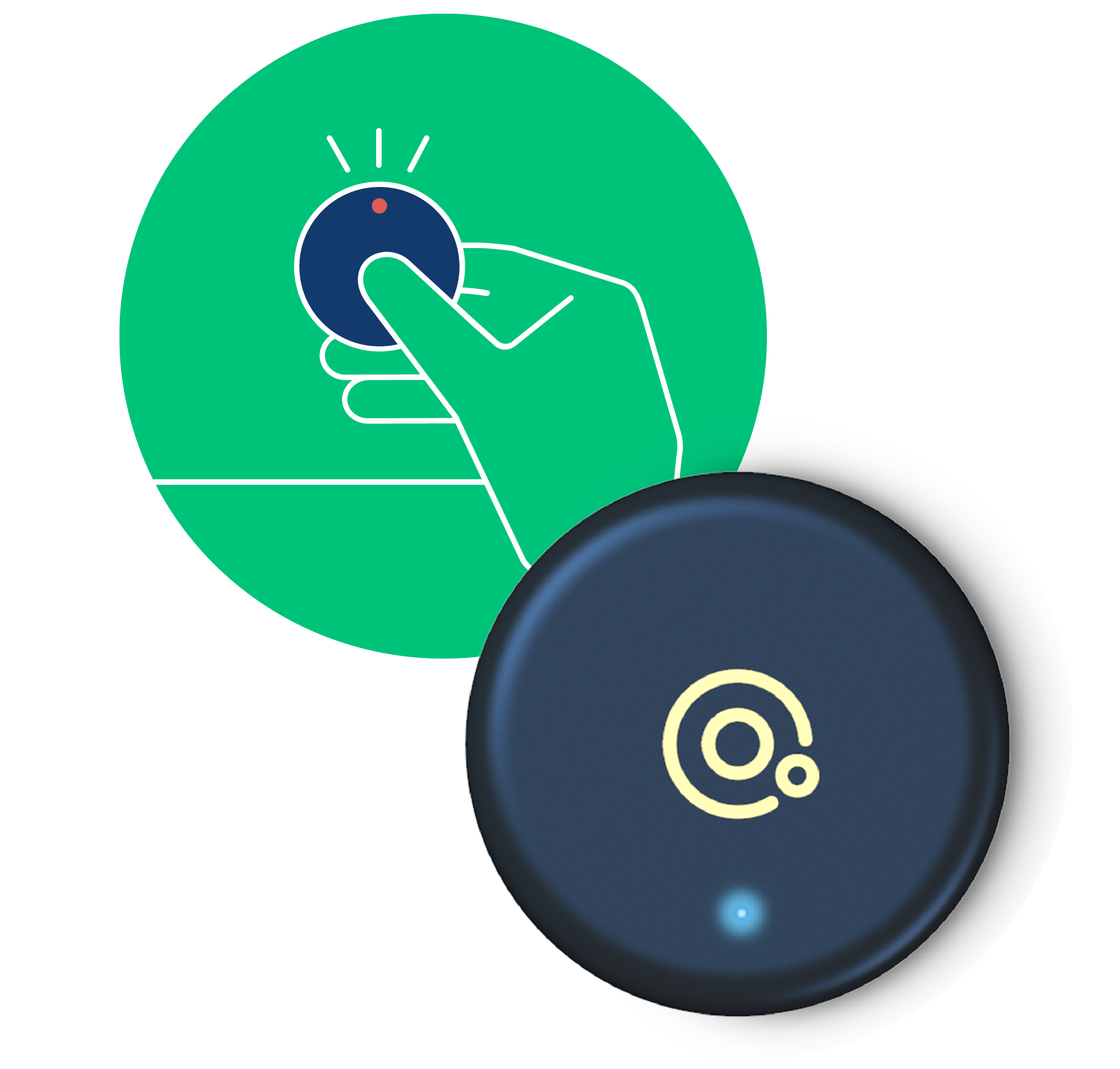
Smart Tag
For your most important bags - purse, suitcase, gym duffle, etc.
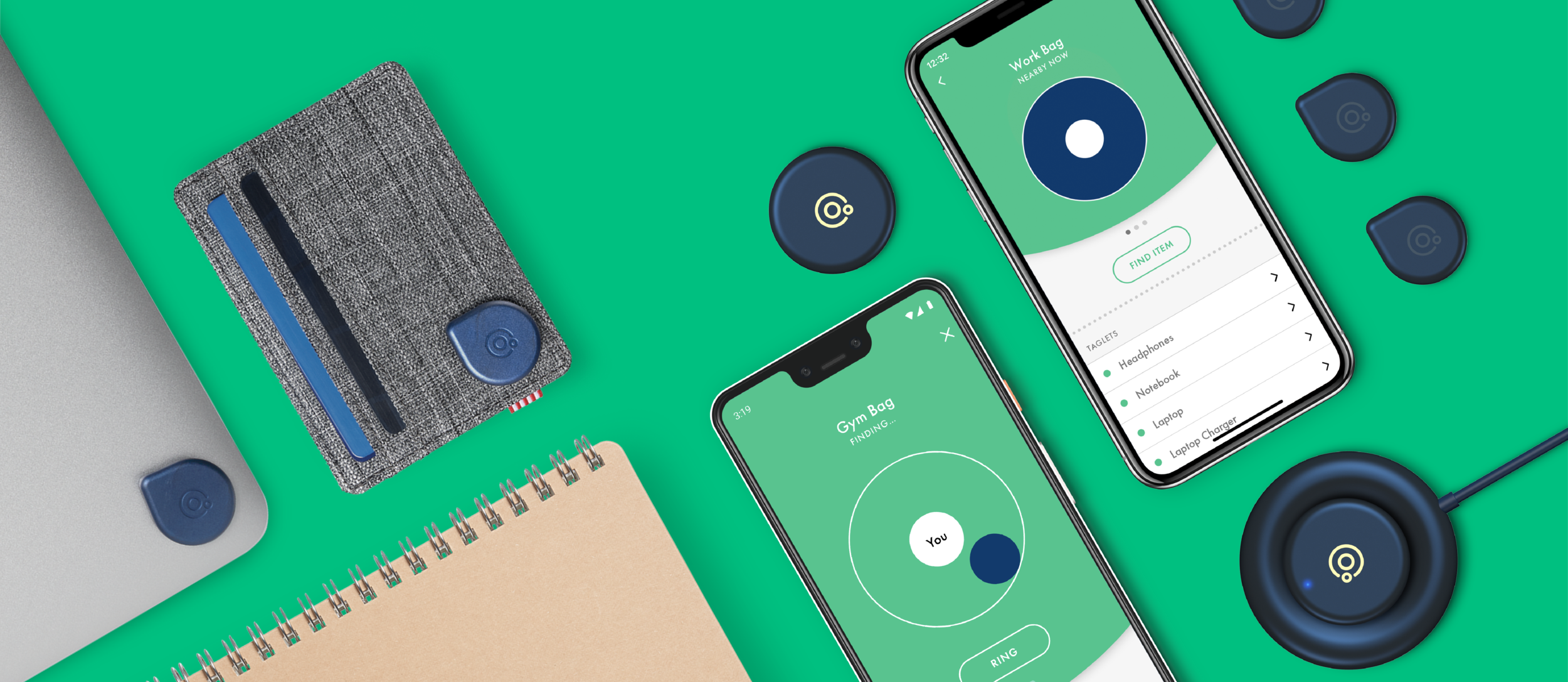
Give your bag the power to keep tabs on the items you want and need inside them. A versatile, rechargeable Bluetooth® location device with LED and a loud buzzer which connected to the mobile app, it is used to help you locate a misplaced item to which it is attached.
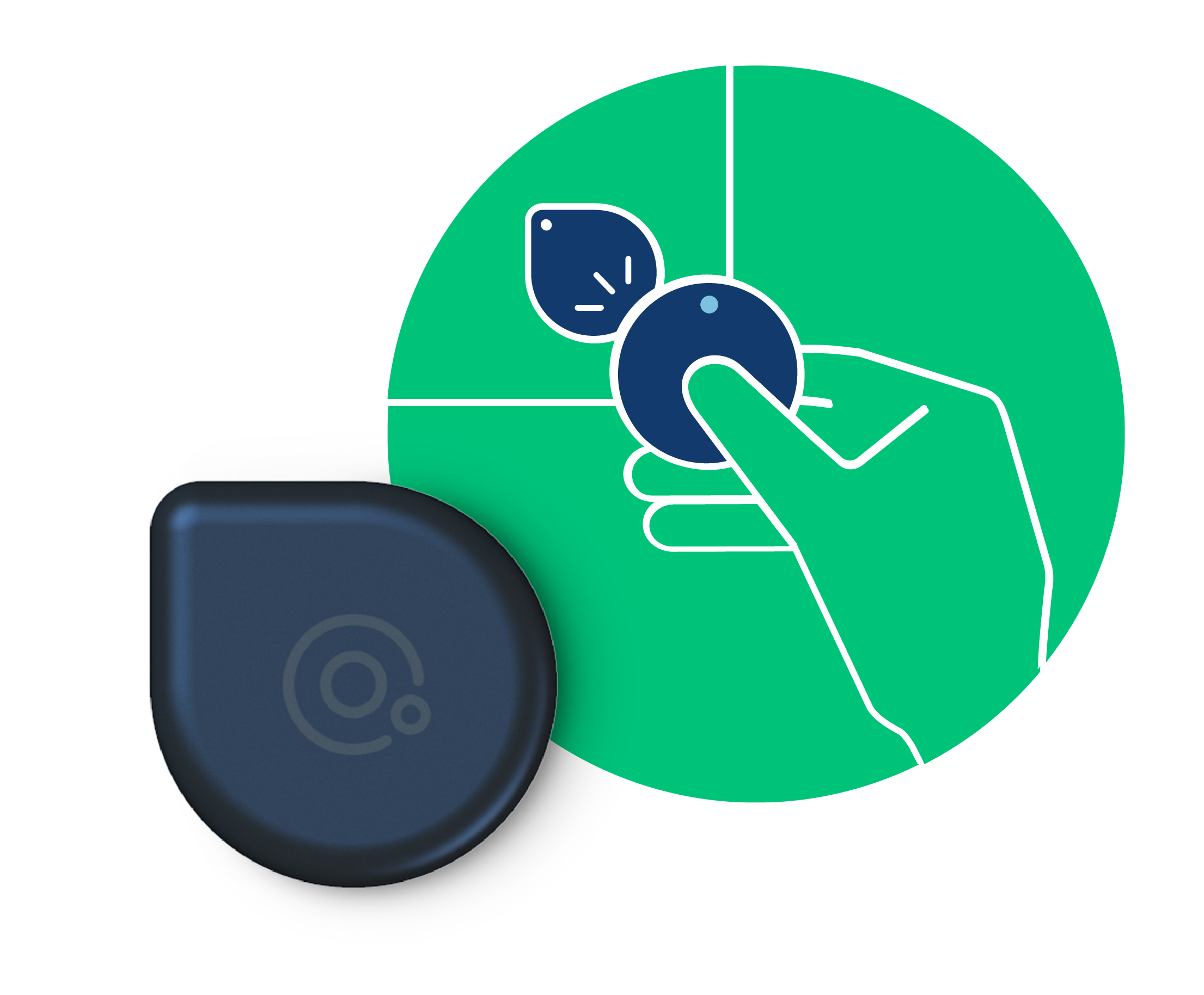
Taglets
For your belongings inside of your bags - charger, computer, etc.
Even smaller than the Tag and can be applied to almost any item. The Taglet works with the Tag as part of a "Container" solution. The Sticker cannot function without the Tag and has a non-rechargeable battery that lasts for approximately 2 years.
Smart Containers
For your belongings inside of your bags - charger, computer, etc
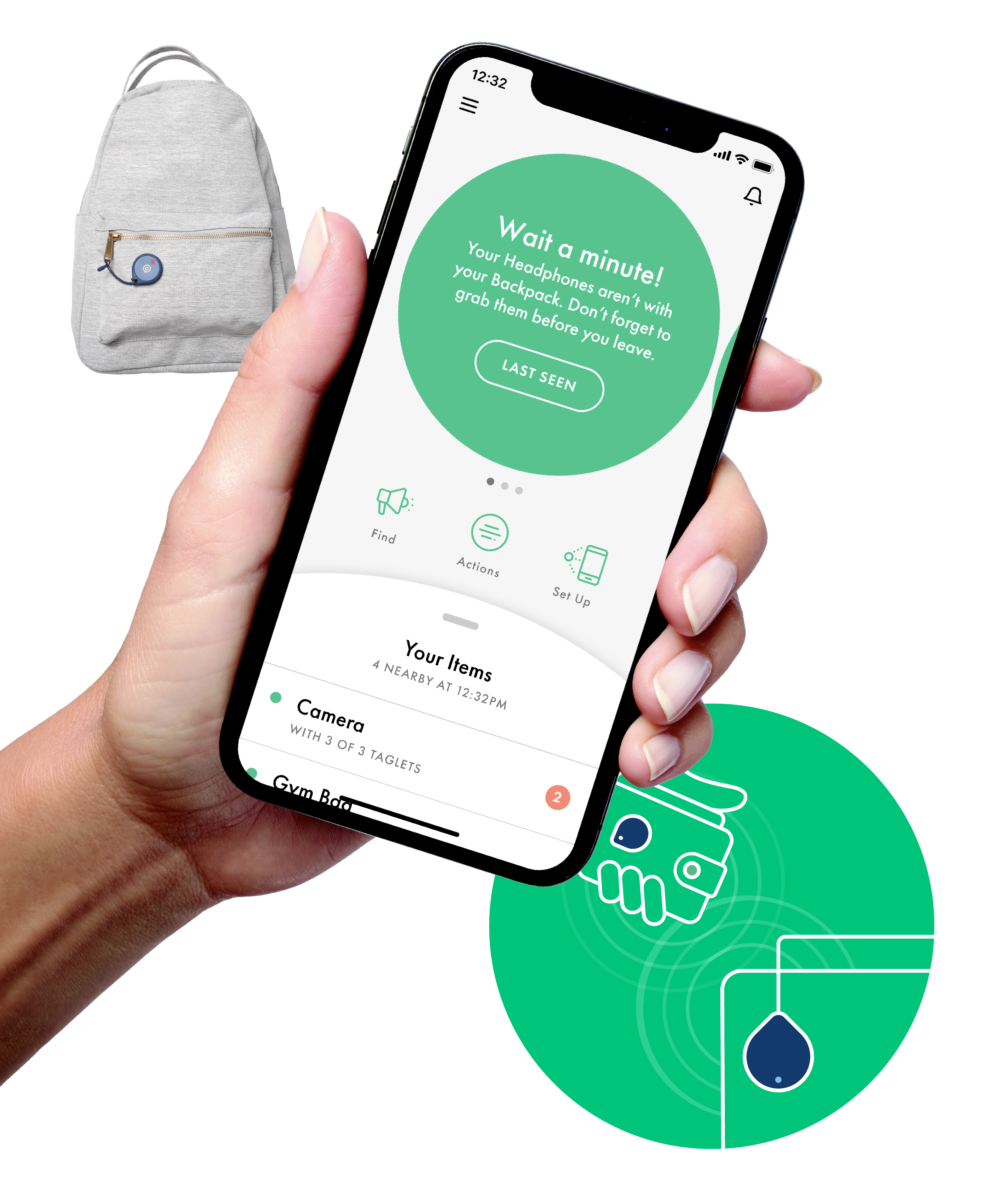
Think of your backpack, purse, suitcase or tote as a container. Containers are an easy way to organize your things, so you can keep track of the groups of things you need for different activities: the gym, trips, your children's sports practices.
Put a Smart Tag on the bag (or whatever container you use), and then Taglets on the things that go inside them. Tags keep track of the Taglets, checking in with them regularly to see if they’re with your Container or not. Smart Containers are set up by you in the Adero app, using your Smart Tag and Taglets. This makes it easy for you to quickly know if all your things are together or not.
A Connected App
For your belongings inside of your bags - charger, computer, etc
Think of your backpack, purse, suitcase or tote as a container. Containers are an easy way to organize your things, so you can keep track of the groups of things you need for different activities: the gym, trips, your children's sports practices.
Put a Smart Tag on the bag (or whatever container you use), and then Taglets on the things that go inside them. Tags keep track of the Taglets, checking in with them regularly to see if they’re with your Container or not. Smart Containers are set up by you in the Adero app, using your Smart Tag and Taglets. This makes it easy for you to quickly know if all your things are together or not.
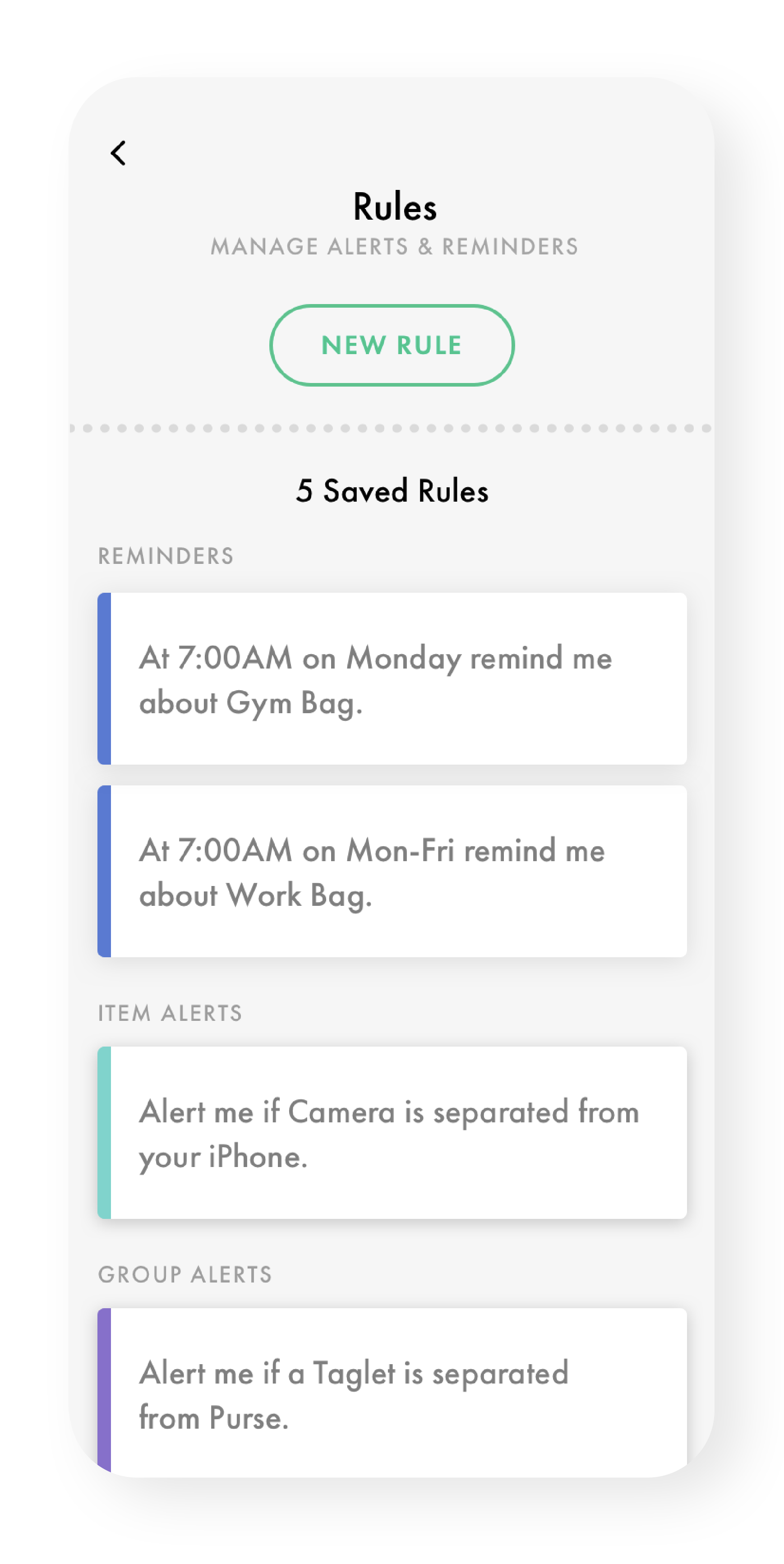
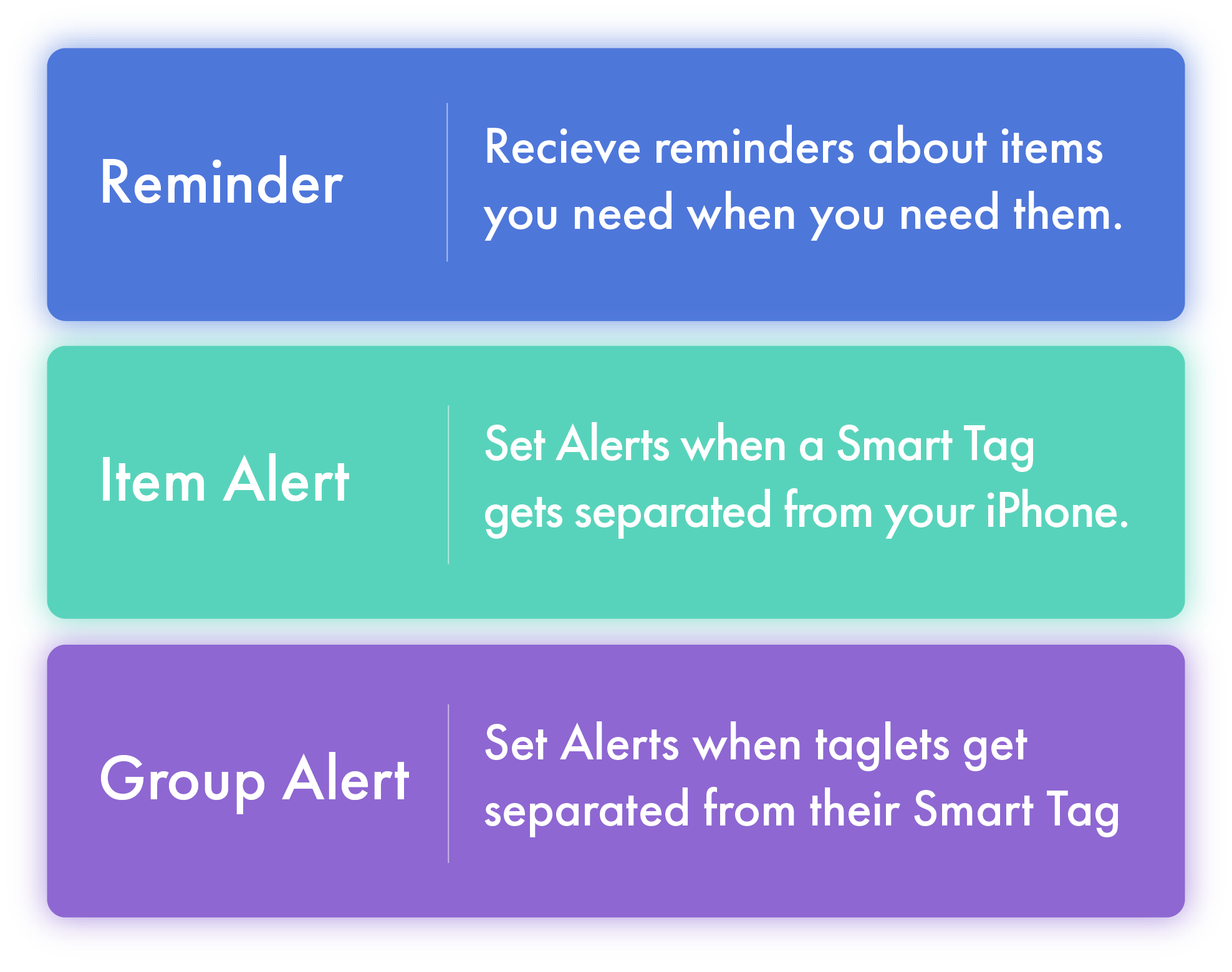
Rules
Plan ahead to leave nothing behind
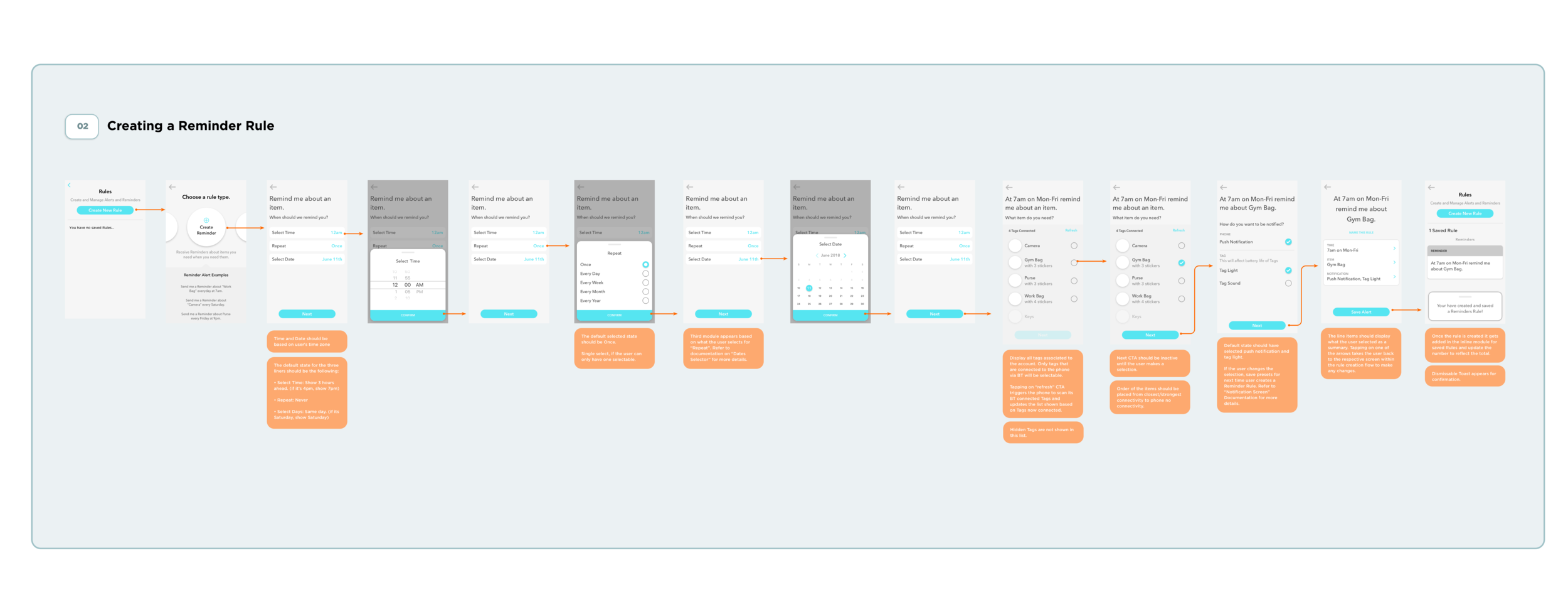
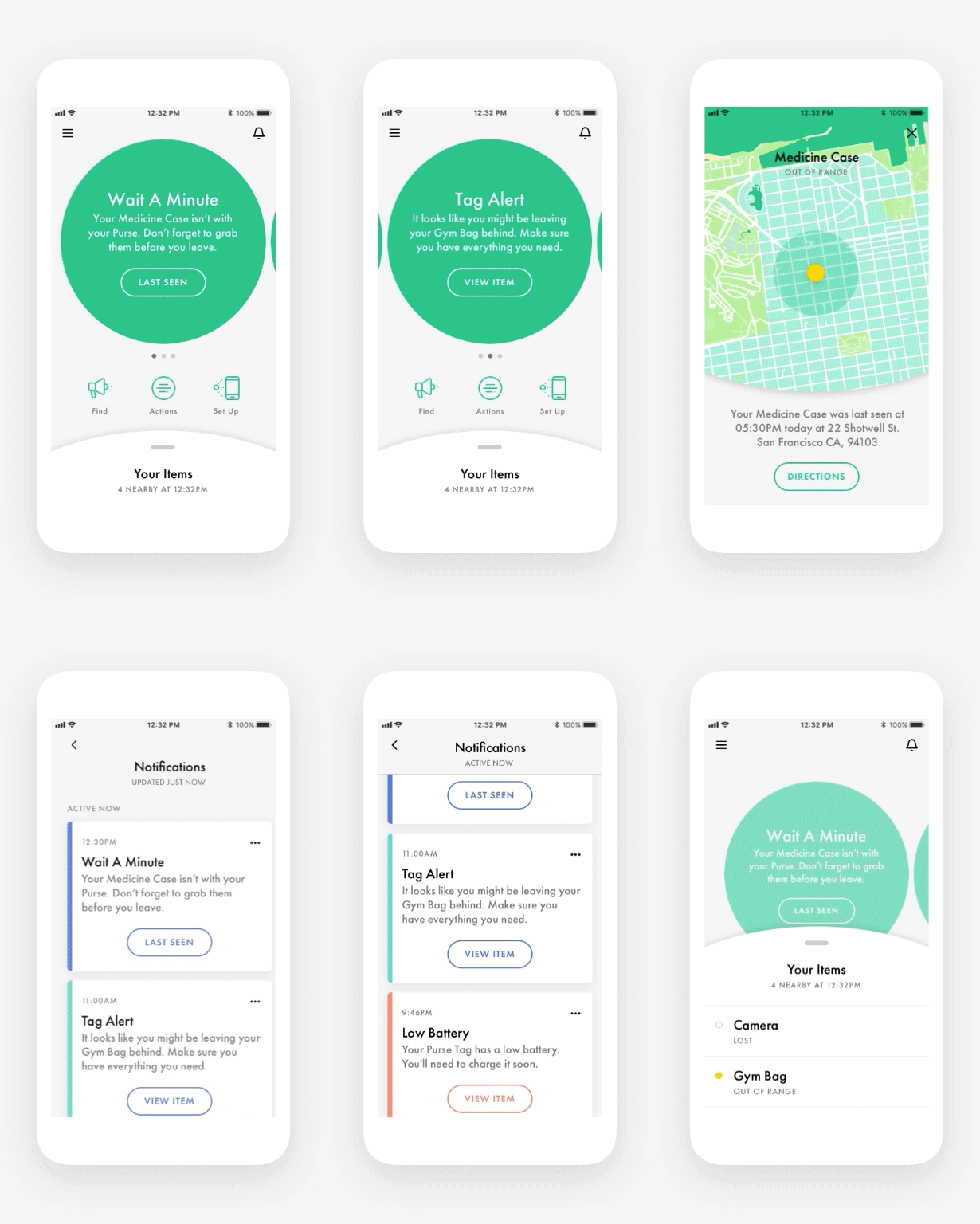
Create reminders that tell you if everything is in your bag and ready to go. Set rules to get notified whether an item is left behind when you need it, or if an item gets separated from the respective smart container.
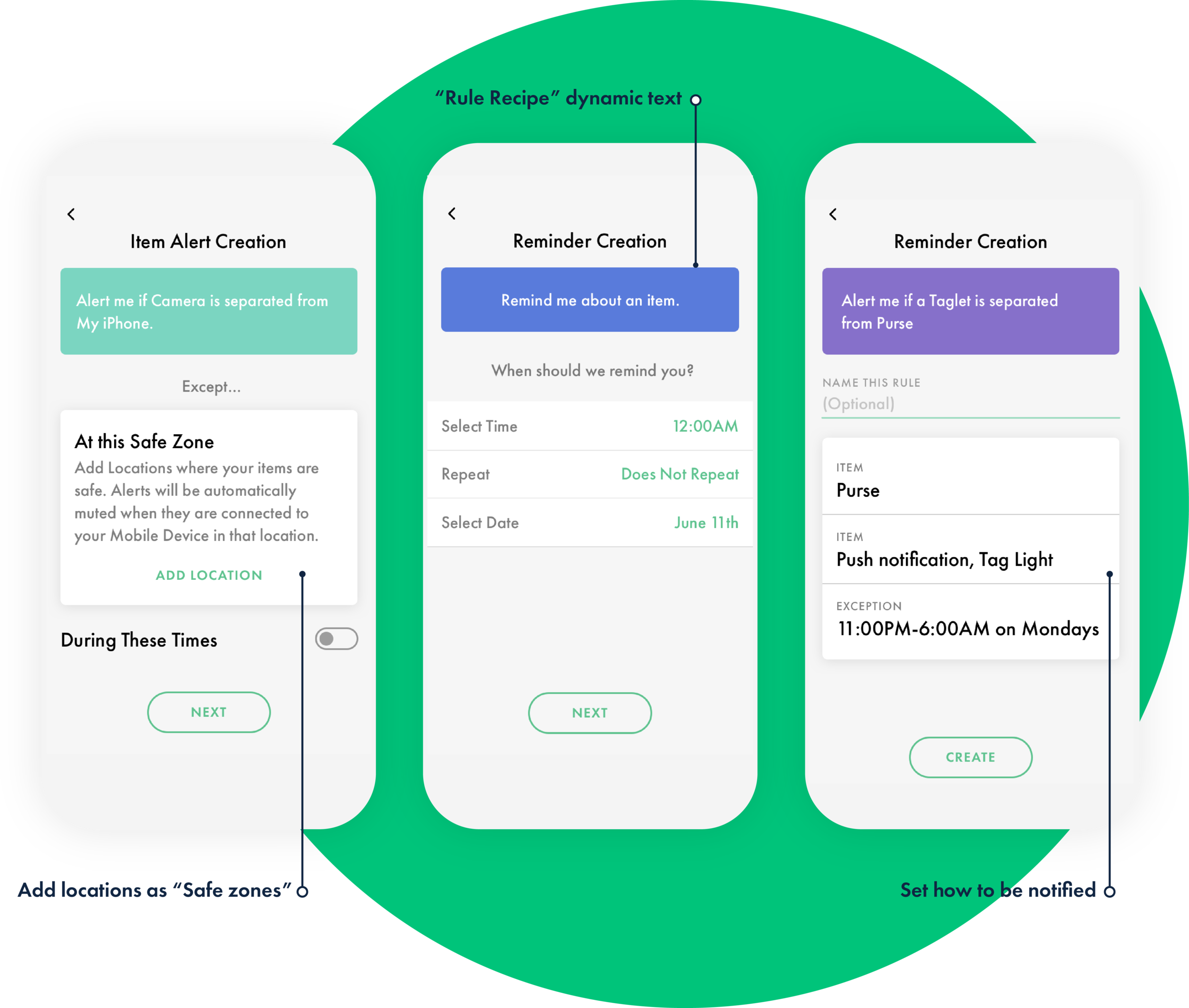
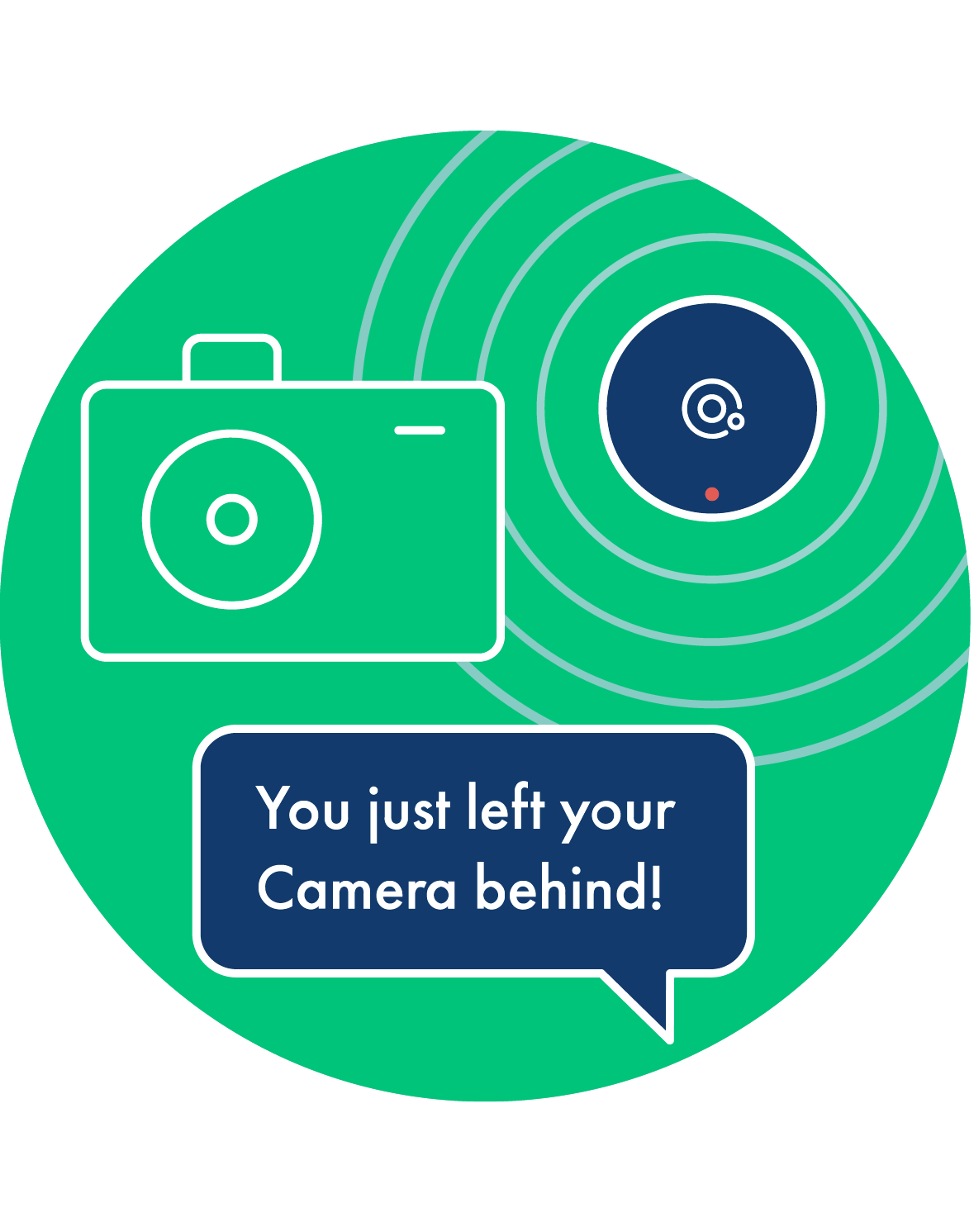
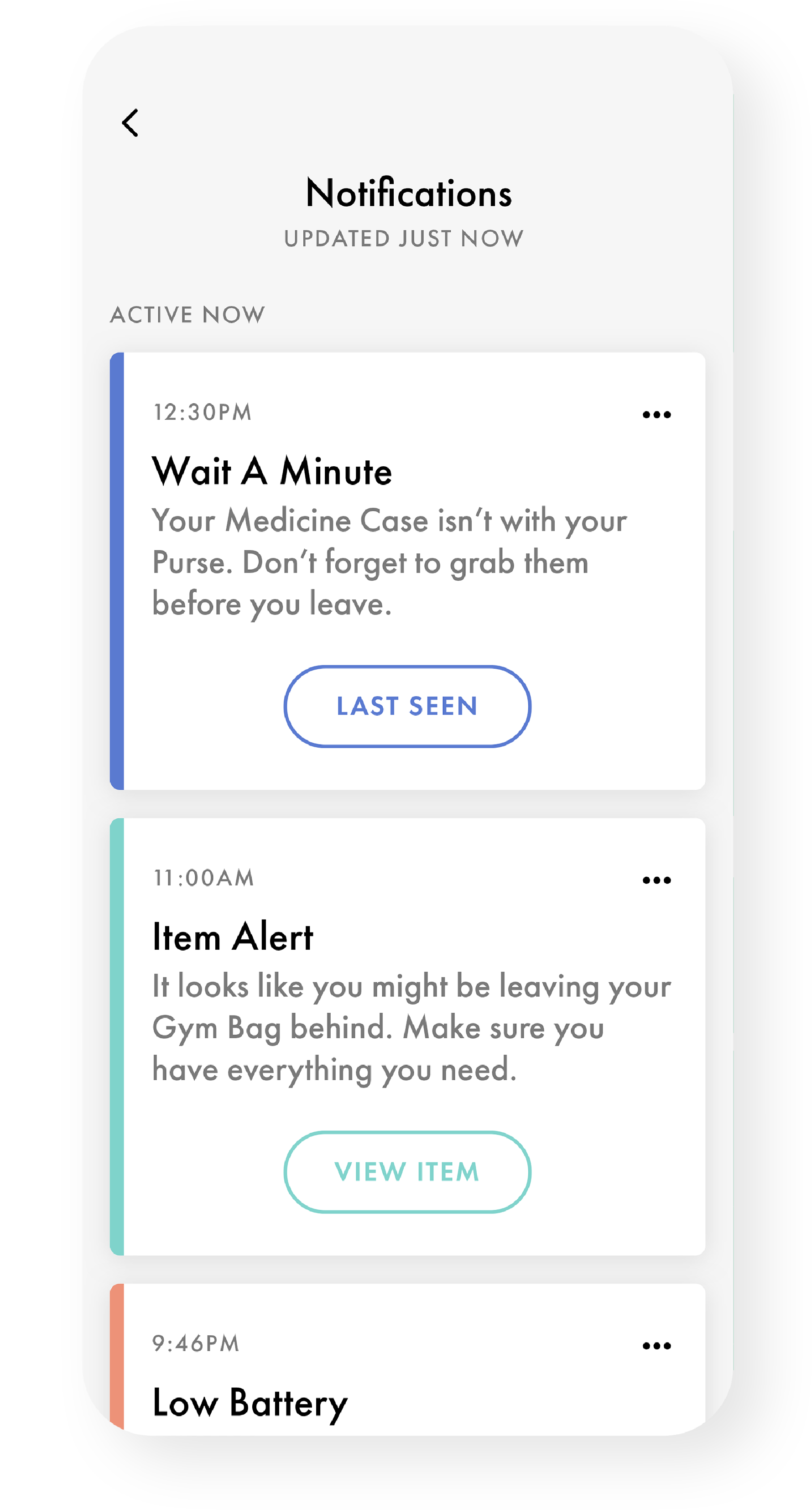
Notifications
Know when things aren’t together
Get a heads up when an essential item isn’t in your bag, before it’s too late.
Items Details
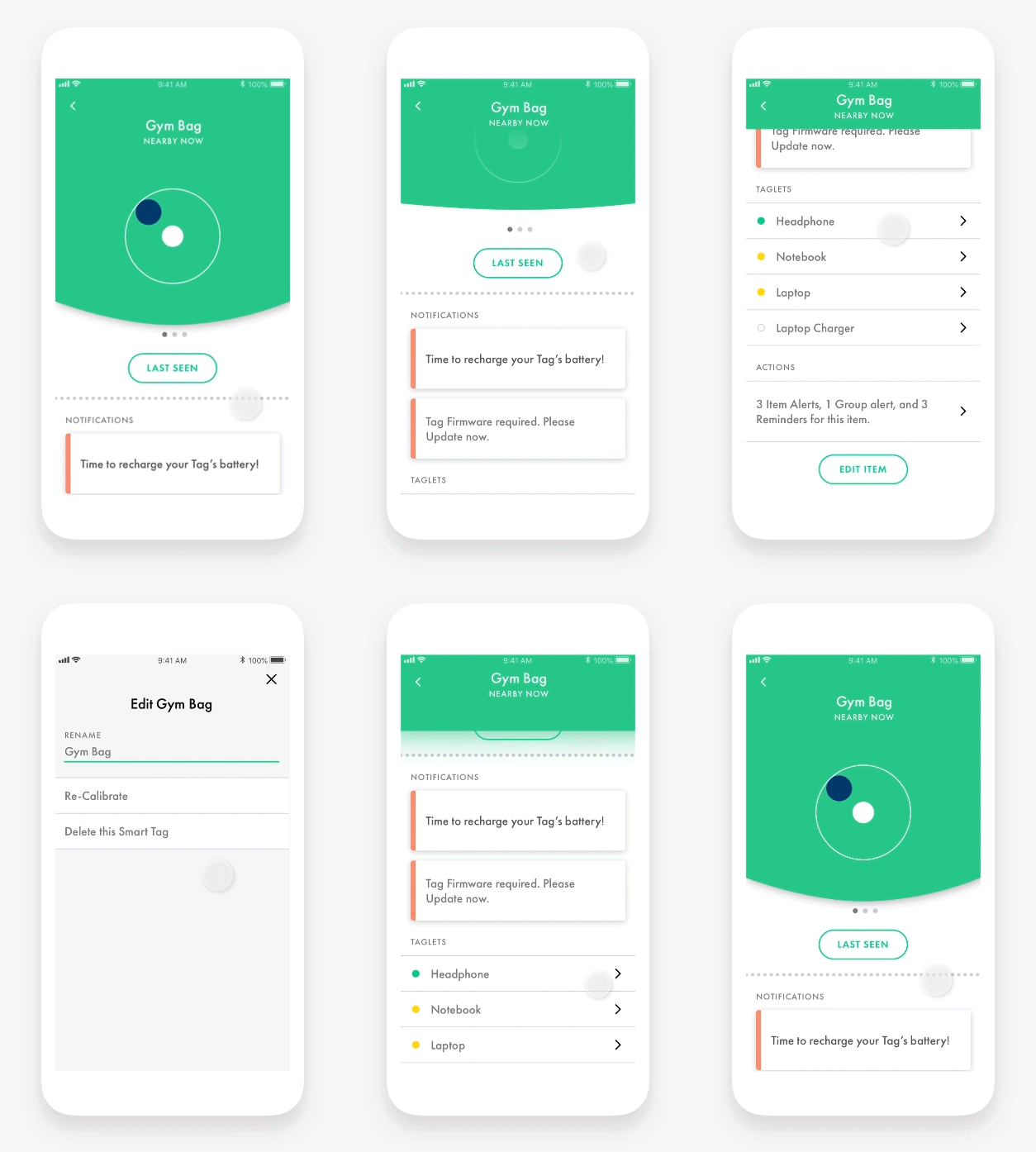
Manage your essentials
Check whether your items are in the right place or where they were last seen, edit Smart Containers, and preview any Rules set.
Find item
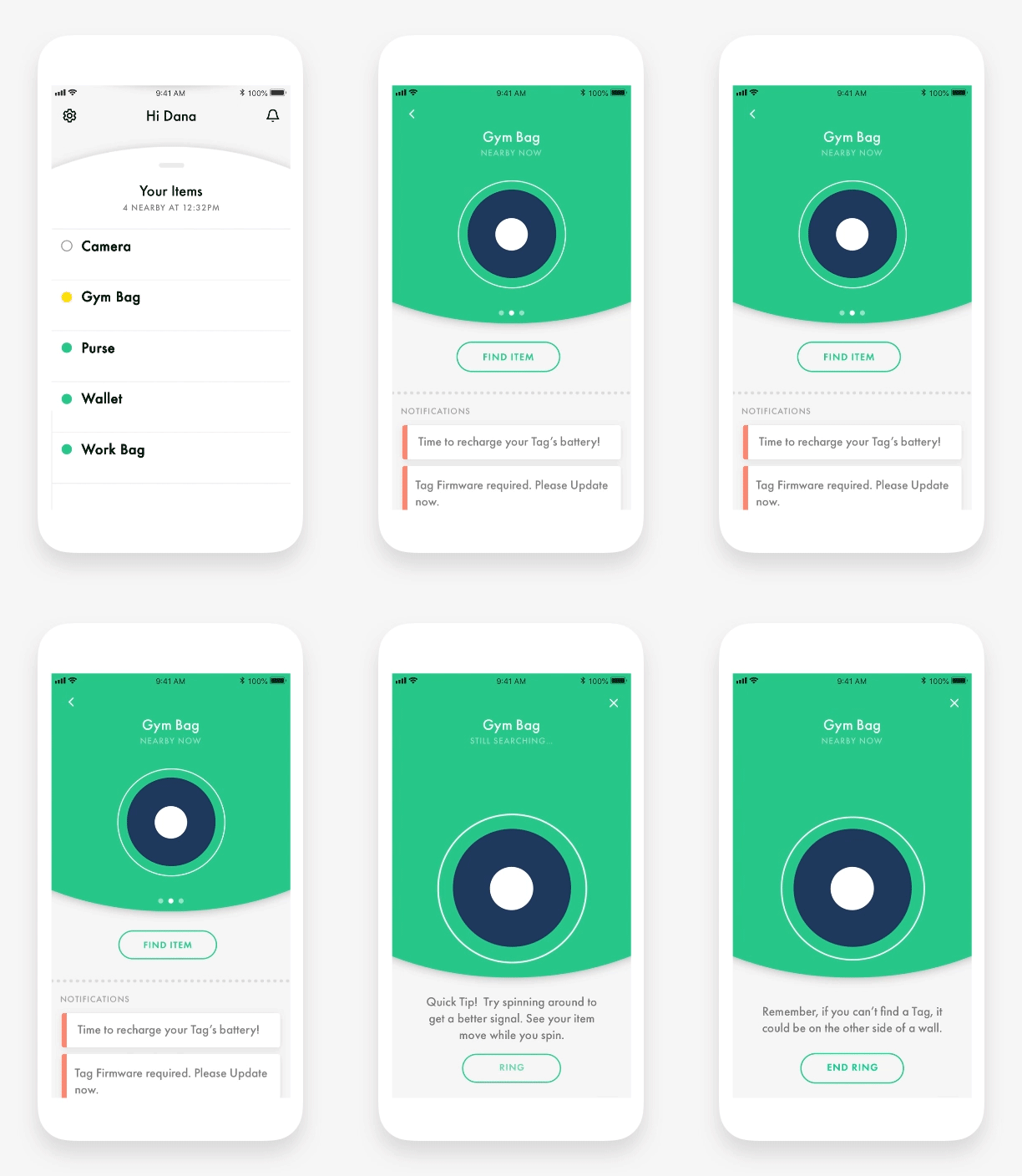
Missing no more
Locate Smart Tags quickly so you don’t have to scramble to find them.
A convergent OOBE
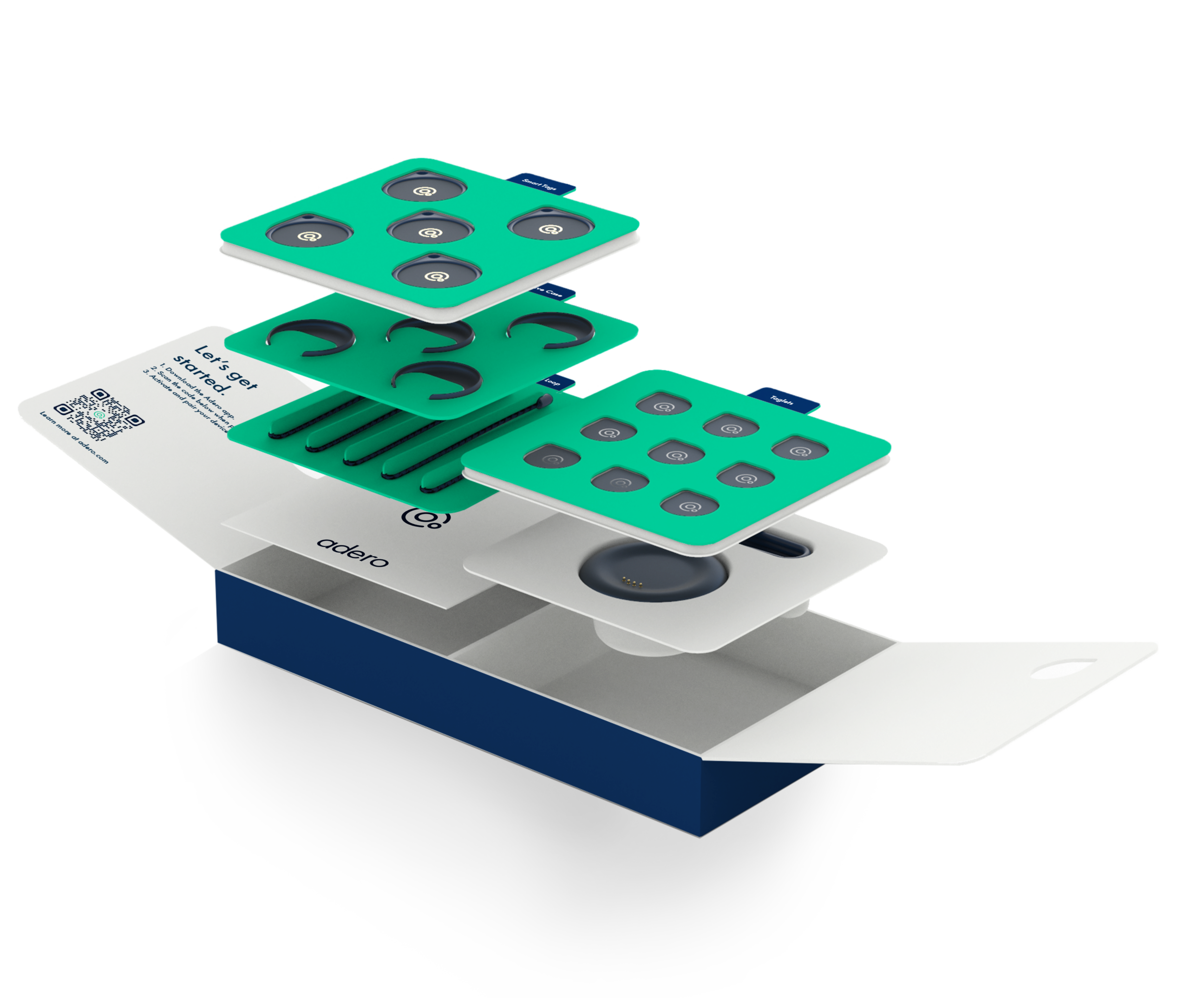
A setup user journey highlighting the process for an intuitive and frictionless onboarding. We decided the experience so it was digital driven at first, and all physical driven towards the end. Through repeated behavior and good guidance, the goal was for the user to understand how to pair Smart Tags, create containers, and set rules.
A holistic design system
• Interaction Design
• Visual Design
• Motion Design
• Documented and implemented with offshore teams